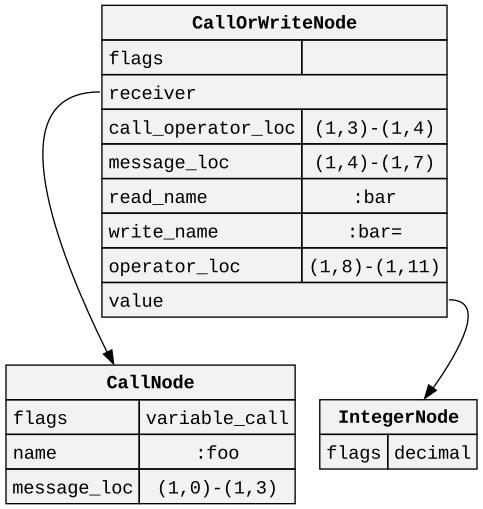
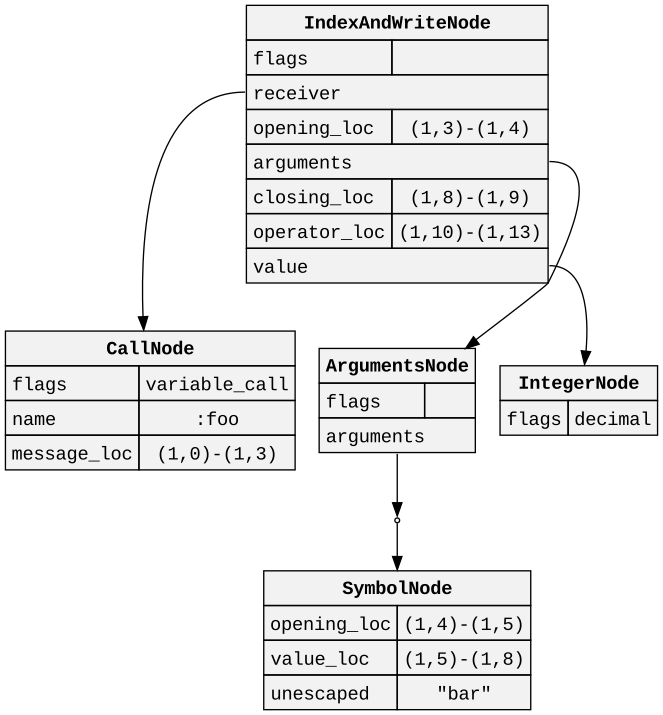
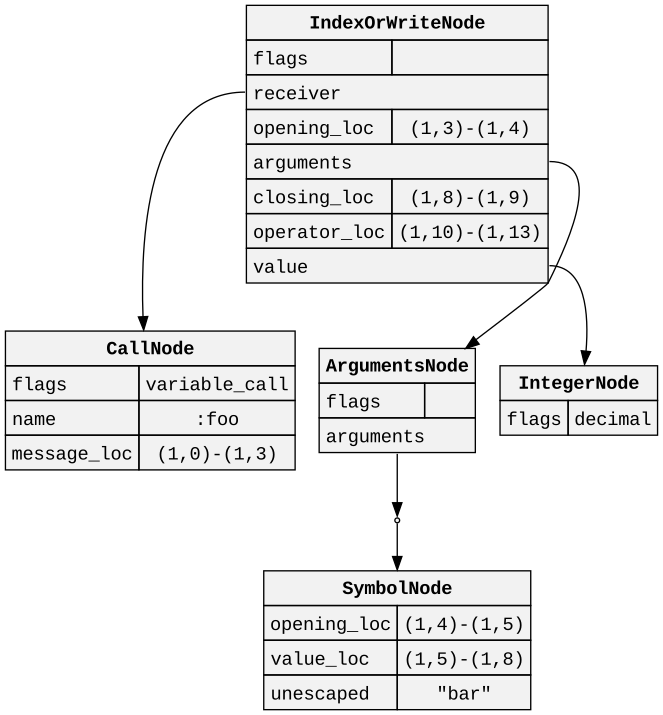
<?xml version="1.0" encoding="utf-8"?>
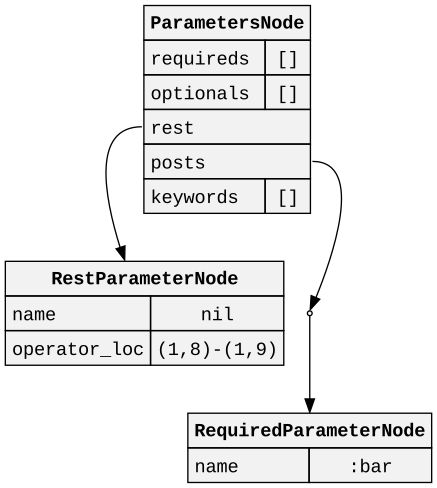
<feed xmlns="http://www.w3.org/2005/Atom" >
  <generator uri="https://jekyllrb.com/" version="3.10.0">Jekyll</generator>
  <link href="https://kddnewton.com/feed.xml" rel="self" type="application/atom+xml" />
  <link href="https://kddnewton.com/" rel="alternate" type="text/html" />
  <updated>2026-04-08T09:50:28+00:00</updated>
  <id>https://kddnewton.com/feed.xml</id>


    <title type="html">Kevin Newton</title>


    <subtitle>Personal website</subtitle>


    <author>
        <name>Kevin Newton</name>
      
      
    </author>


    <entry>


      <title type="html">A Ruby Regular Expression Engine</title>
      <link href="https://kddnewton.com/2026/01/06/exreg.html" rel="alternate" type="text/html" title="A Ruby Regular Expression Engine" />
      <published>2026-01-06T00:00:00+00:00</published>
      <updated>2026-01-06T00:00:00+00:00</updated>
      <id>https://kddnewton.com/2026/01/06/exreg</id>
      
      
        <content type="html" xml:base="https://kddnewton.com/2026/01/06/exreg.html"><![CDATA[<p>Recently I put some finishing touches on the <a href="https://github.com/kddnewton/exreg">exreg</a> gem, a pure-Ruby implementation of a Unicode regular expression engine. It supports nearly all of the same functionality as Onigmo, the Ruby regular expression engine, with caveats listed in the README. Importantly however, it uses a Thompson-style NFA virtual machine, meaning it is immune to ReDoS caused by catastrophic backtracking.</p>

<h2 id="background">Background</h2>

<p>Most of the technical background for this can be found in Russ Cox’s excellent series of blog posts entitled <a href="https://swtch.com/~rsc/regexp/regexp1.html">Regular Expression Matching Can Be Simple And Fast</a>. In short, traditional backtracking regular expression engines (like Onigmo) can be tricked into taking exponential time on certain pathological inputs. This is because they try to explore all possible paths through the NFA until they find a match, and in some cases the number of paths grows exponentially with the size of the input.</p>

<p>Thompson-style NFA engines, on the other hand, simulate all possible paths in parallel, thus making their execution linear with the size of the input. Note that this does <em>not</em> mean that they are inherently faster than backtracking engines; it just means that their runtime is bounded by a linear function of the input size.</p>

<h2 id="implementation">Implementation</h2>

<p><code class="language-plaintext highlighter-rouge">Exreg</code> follows a fairly standard architecture for a regular expression engine. It consists of a parser that converts a regular expression pattern into an abstract syntax tree (AST), a compiler that converts the AST into bytecode for a custom virtual machine, and the virtual machine itself that executes the bytecode against input strings. There are a couple of interesting implementation details worth mentioning, which I’ll cover below.</p>

<h3 id="unicode">Unicode</h3>

<p>Unicode support requires quite a large database of properties, codepoint sets, and case folding information. To make this somewhat performant, <code class="language-plaintext highlighter-rouge">Exreg</code> has a rake task that generates a binary database from the Unicode Character Database (UCD) files that it downloads when the gem is installed. It keeps offsets into this binary database in memory, but only loads actual codepoint sets on demand. To make this happen, I needed to come up with and implement a custom binary format that is both compact and fast to load. Fortunately some judicious use of <code class="language-plaintext highlighter-rouge">pack</code>/<code class="language-plaintext highlighter-rouge">unpack</code> made this fairly seamless.</p>

<h3 id="uset">USet</h3>

<p>Codepoints are always stored in <code class="language-plaintext highlighter-rouge">USet</code> objects, which are collections of half-open ranges that can efficiently represent large sets of Unicode codepoints. <code class="language-plaintext highlighter-rouge">USet</code> supports standard set operations like union, intersection, and difference, as well as more specialized operations like case folding and inversion. This primitive is used throughout the compilation process, but is eliminated by the time the bytecode is generated.</p>

<h3 id="byteset">ByteSet</h3>

<p>Once the bytecode is generated, individual instructions that consume sets of bytes use <code class="language-plaintext highlighter-rouge">ByteSet</code> objects to check for a match. Because 256-bit integers are not very efficient to work with, we instead use an array of 8 32-bit integers to represent the set of bytes. (We do this because it is below the maximum tagged pointer size so the integers are not actually allowed.) This allows for very fast membership testing using bitwise operations.</p>

<h3 id="encoding">Encoding</h3>

<p>Onigmo supports dozens and dozens of encodings, with certain regular expression features only making sense in certain encodings. You can see the full set of supported features <a href="https://github.com/k-takata/Onigmo/blob/master/doc/RE">here</a> and how they interact with encodings. <code class="language-plaintext highlighter-rouge">Exreg</code> on the other hand, only supports Unicode encodings, effectively treating each regular expression as if it had <code class="language-plaintext highlighter-rouge">(?u)</code> at the start.</p>

<p>Ruby and Onigmo also do an odd dance whenever a string is going to be matched against a regular expression which resolves which encoding to use. You can get a sense of this from Kevin Menard’s excellent talk a few years back at RubyConf called <a href="https://speakerdeck.com/nirvdrum/the-three-encoding-problem">The Three-Encoding Problem</a>. <code class="language-plaintext highlighter-rouge">Exreg</code> does not do this, and instead assumes UTF-8 unless an explicit encoding is provided.</p>

<p><code class="language-plaintext highlighter-rouge">Exreg</code> also makes the decision to iterate over strings a single byte at a time. This means that it encodes the byte representation of Unicode codepoints into the VM itself. Then when it matches against strings, it effectively treats them all as byte arrays. This has some technical tradeoffs, but largely simplifies the API.</p>

<h2 id="conclusion">Conclusion</h2>

<p>I have been thinking about this problem for a very long time, and am happy to finally have it published. There are still a bunch of features that I would like to add, mostly to achieve parity with the Onigmo engine. Some of these would require implementing a backtracking engine as well, since backreferences and lookaround assertions usually require backtracking. It would be nice from a user perspective to be able to see which strategy has to be used for a given regular expression in order to determine if it is safe to use with untrusted input.</p>

<p>This is also a great place to introduce a JIT. The current VM is purely interpreted, which is not very fast. A JIT could compile frequently used regular expressions down to native code, which would speed things up considerably. This is something I may explore in the future, since it is already a bytecode VM with mostly mathematical operations.</p>

<p>Contributions or questions are always welcome, wherever you can find me on the internet (GitHub, email, etc.). Happy matching!</p>]]></content>


      <author>
          <name>Kevin Newton</name>
        
        
      </author>


        <summary type="html"><![CDATA[Recently I put some finishing touches on the exreg gem, a pure-Ruby implementation of a Unicode regular expression engine. It supports nearly all of the same functionality as Onigmo, the Ruby regular expression engine, with caveats listed in the README. Importantly however, it uses a Thompson-style NFA virtual machine, meaning it is immune to ReDoS caused by catastrophic backtracking.]]></summary>


    </entry>
  
    <entry>


      <title type="html">A Ruby YAML parser</title>
      <link href="https://kddnewton.com/2025/12/25/psych-pure.html" rel="alternate" type="text/html" title="A Ruby YAML parser" />
      <published>2025-12-25T00:00:00+00:00</published>
      <updated>2025-12-25T00:00:00+00:00</updated>
      <id>https://kddnewton.com/2025/12/25/psych-pure</id>
      
      
        <content type="html" xml:base="https://kddnewton.com/2025/12/25/psych-pure.html"><![CDATA[<p>Recently I built the <a href="https://github.com/kddnewton/psych-pure">psych-pure</a> gem, a pure-Ruby implementation of a YAML 1.2 parser and emitter. It fully conforms to the YAML 1.2 specification, passes the entire YAML test suite, and allows you to preserve comments when loading and dumping YAML documents. This post explains how and why.</p>

<h2 id="motivation">Motivation</h2>

<p>First, let’s talk about YAML. YAML is a surprisingly complex data serialization format. It supports a wide variety of data types and syntactic structures, making it both powerful and a huge pain to implement correctly. If you check out <a href="https://matrix.yaml.info/">matrix.yaml.info</a> you’ll see that very few of the YAML parsers in use fully conform to the YAML 1.2 spec.</p>

<p>Notably, the one used by Ruby — <a href="https://github.com/yaml/libyaml">libyaml</a> — errors out on quite a few of the test cases. The slightly more modern <a href="https://github.com/pantoniou/libfyaml">libfyaml</a> does much better, being one of the only implementations that actually conforms to the whole spec. Unfortunately it does not support Windows. So if you want to parse YAML in Ruby, the best option remains <a href="https://github.com/ruby/psych">psych</a>, a wrapper around <code class="language-plaintext highlighter-rouge">libyaml</code>.</p>

<p>It has always bothered me to not see a Ruby implementation on that list. First and foremost because of the comformance reasons, but secondly because it just feels odd to not have a pure-Ruby option for something so fundamental to the Ruby ecosystem.</p>

<p>The other reason I wanted to build this is that <code class="language-plaintext highlighter-rouge">libyaml</code> discards comments as they are being parsed. This means if you want to be able to load YAML, modify it, and dump it, you’re going to lose all comments in the process. This has been discussed <a href="https://github.com/ruby/psych/issues/464">before</a> a <a href="https://github.com/ruby/psych/issues/566">few times</a> on the issue tracker, with various <a href="https://github.com/wantedly/psych-comments/">workarounds</a> proposed. Nothing truly solves the problem though. These workarounds suffer from the same classic problem parsing context-free grammars with regular expressions always have: the grammar is <a href="https://stackoverflow.com/questions/1732348/regex-match-open-tags-except-xhtml-self-contained-tags">not powerful enough</a>. The only truly viable solutions at this point is to develop a proper parser, either by bringing Windows support to <code class="language-plaintext highlighter-rouge">libfyaml</code> and wrapping it in a Ruby native extension, or building a pure-Ruby implementation. I decided to go with the latter.</p>

<h2 id="implementation">Implementation</h2>

<p>Fortunately, a project exists under the <code class="language-plaintext highlighter-rouge">yaml</code> organization on GitHub called the <a href="https://github.com/yaml/yaml-reference-parser">yaml-reference-parser</a>. This repository contains language-agnostic infrastructure to template out a YAML 1.2 spec-conforming parser. You have to provide a bunch of the pieces and write a not-insignificant amount of CoffeeScript, but the heavy lifting is done for you. This formed the basis of my implementation. Unfortunately this generates a wildly inefficient parser, so I had to spend a fair amount of time inlining methods and moving things around to get it to a reasonable performance level.</p>

<p>To validate the implementation, I needed a test suite. The <code class="language-plaintext highlighter-rouge">yaml</code> organization also provides the <a href="https://github.com/yaml/yaml-test-suite">yaml-test-suite</a>, a collection of hundreds of YAML documents designed to test the conformance of YAML parsers. Unfortunately, the canonical way to run these tests is through <a href="https://github.com/testml-lang/testml">testml</a>, a sort of DSL-like language that describes tests. Therefore I ended up adding <a href="https://github.com/testml-lang/testml/pull/64">Ruby support</a> to <code class="language-plaintext highlighter-rouge">testml</code> in the process of building this. With that in place, I was able to run the entire test suite against my implementation and ensure it conformed to the spec.</p>

<p>At this point, the parser was functional and able to parse and load YAML documents correctly. I now needed to start working on supporting comments. I ended up following the same approach I took with the <a href="https://github.com/ruby/prism/blob/26b745f39afd4d4d1b57abe4c6eba64e79b74695/lib/prism/parse_result/comments.rb#L93-L114">Prism parser</a> which is itself a port of the way that the <a href="https://github.com/prettier/prettier/blob/6c339cd882bfa735bb574358f31225faff1477d9/src/main/comments/attach.js#L113-L245">Prettier formatter</a> handles comments. After parsing the document, it walks the AST, determines following, preceding, and enclosing nodes, and attaches the comments accordingly. Then, it is the responsibility of the emitter to place the comments back in the right places when dumping the document.</p>

<p>Unfortunately, this meant writing my own YAML emitter as well, since the one provided by <code class="language-plaintext highlighter-rouge">psych</code> is not aware of comments on nodes. It also meant that loaded objects (e.g., hashes and arrays) needed to be wrapped in custom delegator classes to hold on to their comments in the case that they get dumped back out to YAML. This ended up being tedious for <a href="https://github.com/kddnewton/psych-pure/blob/63a50cb7c6b32389ffe73af420240e64f175130e/lib/psych/pure.rb#L254-L515">Hash</a> because I ended up needing to re-implement every mutating method, but for the most part it was straightforward.</p>

<p>At this point, all that remained was to copy over the public API of <code class="language-plaintext highlighter-rouge">Psych</code> onto <code class="language-plaintext highlighter-rouge">Psych::Pure</code>, such that it functions as a drop-in replacement. This means whatever visitors or handlers you may have written for <code class="language-plaintext highlighter-rouge">Psych</code> should work with <code class="language-plaintext highlighter-rouge">Psych::Pure</code> as well.</p>

<h2 id="conclusion">Conclusion</h2>

<p>In the end, I am quite happy with how this turned out. The Ruby community now has a fully spec-conforming YAML 1.2 parser and emitter written in pure Ruby, which also preserves comments. In fact it joins Perl as the only two languages with fully cross-platform implementations. If any of you feel up to it, I would love to see it listed in the matrix at <a href="https://matrix.yaml.info/">matrix.yaml.info</a> by adding it to <a href="https://github.com/yaml/yaml-runtimes">yaml-runtimes</a>! As always, contributions and feedback are welcome on the <a href="https://github.com/kddnewton/psych-pure">GitHub repository</a>. Happy holidays, and happy Ruby 4.0!</p>]]></content>


      <author>
          <name>Kevin Newton</name>
        
        
      </author>


        <summary type="html"><![CDATA[Recently I built the psych-pure gem, a pure-Ruby implementation of a YAML 1.2 parser and emitter. It fully conforms to the YAML 1.2 specification, passes the entire YAML test suite, and allows you to preserve comments when loading and dumping YAML documents. This post explains how and why.]]></summary>


    </entry>
  
    <entry>


      <title type="html">Prism: Ruby 3.3’s new error-tolerant parser</title>
      <link href="https://kddnewton.com/2024/01/23/prism.html" rel="alternate" type="text/html" title="Prism: Ruby 3.3’s new error-tolerant parser" />
      <published>2024-01-23T00:00:00+00:00</published>
      <updated>2024-01-23T00:00:00+00:00</updated>
      <id>https://kddnewton.com/2024/01/23/prism</id>
      
      
        <content type="html" xml:base="https://kddnewton.com/2024/01/23/prism.html"><![CDATA[<p>Prism is a new library shipping as a default gem in Ruby 3.3.0 that provides access to the Prism parser, a new parser for the Ruby programming language. Prism is designed to be error tolerant, portable, maintainable, fast, and efficient.</p>

<h2 id="usage">Usage</h2>

<p>To use the Prism parser through the Ruby bindings, you would require the <code class="language-plaintext highlighter-rouge">prism</code> library and the call any of the various parse methods on the <code class="language-plaintext highlighter-rouge">Prism</code> module. For example:</p>

<div class="language-ruby highlighter-rouge"><div class="highlight"><pre class="highlight"><code><span class="nb">require</span> <span class="s2">"prism"</span>
<span class="no">Prism</span><span class="p">.</span><span class="nf">parse</span><span class="p">(</span><span class="s2">"1 + 2"</span><span class="p">)</span>
</code></pre></div></div>

<p>This method will return to you a parse result object, which contains the syntax tree corresponding to the parsed source code, lists of errors, warnings, and comments, as well as various other metadata related to the parse operation. Importantly this method will always return a parse result (as opposed to raising an exception when a syntax error is found), which makes it suitable for working on source code that may contain syntax errors.</p>

<h2 id="history">History</h2>

<p>Prism was originally designed in 2021. It originated at Shopify, where the need for a fast and efficient error-tolerant parser became quite evident. In 2021, Shopify was already heavily invested in CRuby, TruffleRuby, Sorbet, and various Ruby tooling. In total, Shopify developers were helping to maintain four different parsers for the Ruby programming language. This was a lot of work, and it was clear that the community would benefit from a single parser that could be used by all of these projects.</p>

<p>In consultation with the maintainers of all of these projects and more, the project went through various prototyping and design phases before eventually landing on the current design. This progressed over the course of a year and a half to get us to where we are today. In that time the project has been open sourced, and has been integrated into various projects in the Ruby ecosystem.</p>

<h2 id="design">Design</h2>

<p>As mentioned, Prism is designed to be error tolerant, portable, maintainable, fast, and efficient. The parser and nodes therein are designed to be as simple as possible to deal with from the perspective of an implementation or tooling. We will discuss each of these design goals in turn.</p>

<h3 id="error-tolerance">Error tolerance</h3>

<p>Since Microsoft created Visual Studio Code and the language server protocol, error tolerance has been much more in the spotlight for programming languages. It has become tablestakes for a good developer experience that the parser powering your editor is able to parse code that contains syntax errors, because most of the time that code is being written it is not in a completed state. Prism was designed and hand-written with error tolerance in mind for this reason. At a minimum, with a file containing myriad syntax errors, Prism will always return a list of the top-most statements.</p>

<p>As Prism has been developed, the team has worked closely with the team designing <a href="https://github.com/Shopify/ruby-lsp">Ruby LSP</a>, a language server for Ruby. This has allowed the developers to ensure that Prism is able to parse the code that Ruby LSP is sending it, and that the errors Prism is returning are useful to the end user. As we continue this work in Ruby 3.4.x, we will continue to iterate on and improve the error tolerance of Prism.</p>

<h3 id="portability">Portability</h3>

<p>Prism was designed to be a replacement for all of the various parsers that had been developed over the years of Ruby’s lifetime. This includes CRuby’s parser, but also the parsers of all of the other Ruby implementations and third-party tools. Because of this, the developers of Prism have been consulting from the beginning with the maintainers of <a href="https://github.com/jruby/jruby">JRuby</a>, <a href="https://github.com/oracle/truffleruby">TruffleRuby</a>, <a href="https://github.com/ruby/irb">IRB</a>, and various other implementations and tools.</p>

<p>To that end — CRuby, JRuby, TruffleRuby, and Natalie have all integrated Prism as a replacement for their existing parsers. Within CRuby (the default Ruby implementation) it ships as an optional parser. JRuby and TruffleRuby are both working on making it their default parsers in their next version. Natalie has already made it their default parser.</p>

<p>Over the course of the Ruby programming language’s lifetime, there have been various other third-party parsers that have been developed. This includes <a href="https://github.com/whitequark/parser">whitequark/parser</a> and <a href="https://github.com/seattlerb/ruby_parser">seattlerb/ruby_parser</a>. Both of these parsers have powered various tools and libraries over the years, including big names in the ecosystem like <a href="https://github.com/rubocop/rubocop">rubocop</a>. We have been working with the developers of these tools to provide alternate options to include Prism as a backend in order to fully integrate the entire ecosystem into one cohesive effort.</p>

<p>Prism is a standalone library with no dependencies, which makes it easy to also ship bindings to other languages. As of writing this article, Prism is already powering tooling written in Ruby, C, C++, Rust, Java, and JavaScript. We are actively working with maintainers of libraries in all of these languages to ensure that Prism is a viable option for them.</p>

<h3 id="maintainability">Maintainability</h3>

<p>Prism was designed to be as maintainable as possible in order for it to last as the default parser for the community. To that end, every node and field in the entire syntax tree is documented with comments and tests. Additionally a <a href="https://kddnewton.com/2023/11/30/advent-of-prism-part-0">whole blog series</a> has been written about the design and implementation of Prism to provide additional context. We hope that by continuing to invest in the maintainability of Prism, we can provide the community with a basis for all kinds of excellent developer tooling for years to come.</p>

<h3 id="parser-design">Parser design</h3>

<p>Prism is a hand-written recursive descent parser. It is written in C99, and is designed to be portable to any platform that Ruby supports. It is structured as a large <a href="https://matklad.github.io/2020/04/13/simple-but-powerful-pratt-parsing.html">Pratt parser</a>, with additional modification when the Ruby grammar changes precedence or associativity rules.</p>

<p>In general, Prism parses a superset of valid Ruby code. For example, in addition to parsing a constant path in the place of the name of a class, it will also parse any valid expression beginning with a constant. This would look like:</p>

<div class="language-ruby highlighter-rouge"><div class="highlight"><pre class="highlight"><code><span class="k">class</span> <span class="n">foo</span><span class="p">.</span><span class="nf">bar</span>
<span class="k">end</span>
</code></pre></div></div>

<p>We do this to enable good error recovery. By allowing the parser to parse expressions where they would normally not be permitted, we can recover from errors in a way that is more useful to the end user.</p>

<p>It is also beneficial to parse a superset because of incremental parsing. Incremental parsing refers to the ability to parse a subset of a file as it is being written. By parsing any kind of expression in any position (like above), we enable tools to represent more of the syntax tree even when it is in an invalid form. This becomes particularly important for linters and type checkers because they do not have to discard as much information whenever the file changes.</p>

<p>If you take the example from above, even though <code class="language-plaintext highlighter-rouge">foo.bar</code> is in an invalid location in the parse tree, typecheckers and linters can still process the method call as if it were valid. Then, if the user types additional characters to make it valid, the tool can keep around the method call node without having to reprocess it.</p>

<h3 id="node-design">Node design</h3>

<p>The nodes in Prism’s syntax tree are designed to make it as simple as possible to compile, while retaining enough information to be able to recreate the source code at any point. With this in mind, Prism splits up a lot of nodes that other syntax trees general keep together to make their intention as clear as possible. For example the following code:</p>

<div class="language-ruby highlighter-rouge"><div class="highlight"><pre class="highlight"><code><span class="vi">@foo</span> <span class="o">=</span> <span class="mi">1</span>
<span class="k">for</span> <span class="vi">@foo</span> <span class="k">in</span> <span class="mi">1</span><span class="o">..</span><span class="mi">10</span> <span class="k">do</span> <span class="k">end</span>
</code></pre></div></div>

<p>In both of the lines above, the <code class="language-plaintext highlighter-rouge">@foo</code> instance variable is being written to. In the first line it is being written directly with the value of <code class="language-plaintext highlighter-rouge">1</code>, in the second line it is being written indirectly with the current value of the iteration of the loop. In other syntax trees, this is usually represented with a single node type (instance variable write) with an optional value attached. This means that in order to compile and understand the node, the consumer always has to check if a value is present. In Prism, we split up these two cases into two separate nodes: <code class="language-plaintext highlighter-rouge">InstanceVariableWriteNode</code> and <code class="language-plaintext highlighter-rouge">InstanceVariableTargetNode</code>. The first node is used for direct writes, and the second node is used for indirect writes.</p>

<p>With these splits in place, the resulting <a href="https://github.com/ruby/ruby/blob/7f9c174102d0e2369befc7b88f2c073becaa7560/prism_compile.c#L4446-L4464">compiler within CRuby</a> ends up being a “flatter” compiler because there are fewer nested branches to deal with. This is intentional; one of the key tenets of designing the Prism nodes is that you never have to consult a child node to determine how to compile the parent node. We believe this will make it easier to maintain and extend the compiler in the future. We also end up saving on space because we don’t end up storing any null values in the nodes where it’s not possible for them to have a value.</p>

<h3 id="speed-and-efficiency">Speed and efficiency</h3>

<p>Lots of benchmarking has been done to ensure that Prism is as fast as possible and as efficient with memory as it can be, though there is a lot of room for improvement here. We have been benchmarking by parsing large suites of Ruby code and measuring both the time it takes to parse on its own, as well as the time it takes to reify the syntax tree into Ruby. This work will continue in the new year.</p>

<h3 id="testing">Testing</h3>

<p>It has been massively important to our development efforts to build a robust test suite for Prism. Various test suites have been created over the years for the Ruby programming language, but few — if any — have been built with a parser in mind. In addition to our own set of fixtures that we have built over the regular course of development, we have also vendored parser test suites from <a href="https://github.com/whitequark/parser">whitequark/parser</a> and <a href="https://github.com/seattlerb/ruby_parser">seattlerb/ruby_parser</a>. We have also been testing against the latest version of every released gem on <a href="https://rubygems.org/">rubygems.org</a>, which has been a great source of bugs and edge cases.</p>

<p>In testing, we have used a combination of many different forms of tests. The first is regression tests: we take snapshots of syntax trees that are the result of parsing fixtures and on subsequent runs of the test suite we compare them against the saved version. This is useful for ensuring that we do not regress on syntax trees that we have already parsed correctly. The second is manual unit tests addressing both particular functionality and error tolerance. These are useful for testing specific edge cases and for ensuring we are able to recover from errors in a consistent manner. Finally, we have small test suites for specific features like regular expressions, encodings, and escape sequences. These test suites employ brute-force testing (i.e., testing every possible combination of values). For example, with encodings we test every codepoint in every encoding. These test suites ensure those concerns are handled correctly.</p>

<p>Finally, it has been very important to fuzz the various inputs to the Prism parser. As with any C project, there are many ways to introduce memory corruption bugs. We use AFL++ to fuzz the parser and lexer to ensure we never crash or read off the ends of the input. In conjunction with ASAN and various other memory sanitizers, we have been able to ensure that Prism is as stable as possible.</p>

<h3 id="challenges">Challenges</h3>

<p>There are many challenges in working with Ruby source code. The grammar itself is very complicated, and has been extended many times over the years. Beyond this, there are some specific challenges that we have faced in developing Prism.</p>

<p>Local variable reads and method calls are indistinguishable when they are represented using a single identifier. Unfortunately, this becomes quite significant because an identifier being a local variable can change the shape of the parse tree. As such, all local variable scopes must be resolved at parse time. Normally, this wouldn’t be particularly difficult. But certain structures can introduce local variables that are more complex than simple writes. As an example, regular expressions with named capture groups can introduce or modify local variables. The implication is that in order to properly parse Ruby code, Prism must therefore have a regular expression parser that parses as CRuby does. In code, this looks like:</p>

<div class="language-ruby highlighter-rouge"><div class="highlight"><pre class="highlight"><code><span class="sr">/(?&lt;foo&gt;bar)/</span> <span class="o">=~</span> <span class="s2">"bar"</span>
<span class="n">foo</span> <span class="o">/</span> <span class="n">bar</span><span class="c1">#/</span>
</code></pre></div></div>

<p>In the code above, the first line introduces a local variable <code class="language-plaintext highlighter-rouge">foo</code> that is then used in the second line. The second line is a method call to the <code class="language-plaintext highlighter-rouge">/</code> method with <code class="language-plaintext highlighter-rouge">bar</code> as an argument. However, if <code class="language-plaintext highlighter-rouge">foo</code> is not introduced, this will be parsed as a method call to <code class="language-plaintext highlighter-rouge">foo</code> with a regular expression as an argument. This is a very subtle distinction, but it illustrates the importance of having all of the local variables resolved at parse time.</p>

<p>Source code in Ruby can be encoded in any of the 90 ASCII-compatible encodings that CRuby supports. Therefore in order to properly parse Ruby code, Prism has to explicitly support every encoding that CRuby does. Fortunately it is only a subset of the functionality; just enough to determine if the subsequent bytes form an alphabetic, alphanumeric, or uppercase character. In code, this looks like:</p>

<div class="language-ruby highlighter-rouge"><div class="highlight"><pre class="highlight"><code><span class="c1"># encoding: Shift_JIS</span>
</code></pre></div></div>

<p>The name of the encoding can be any of the 154 aliases for the ASCII-compatible encodings. This must be resolved as soon as the encoding comment is encountered to ensure all subsequent strings and identifiers are parsed correctly.</p>

<p>Finally, Ruby has a very rich set of escape sequences that can be used in strings and regular expressions. These escape sequences can be used to represent any Unicode codepoint, as well as various other special characters. In order to properly parse Ruby code, Prism has to support all of these escape sequences and return the exact bytes that they represent. This makes it easier on individual implementations as they no longer have to parse escape sequences, but makes it more difficult to maintain on the Prism side.</p>

<h2 id="apis">APIs</h2>

<p>Many APIs exist in Prism beyond just parsing that can be useful to a developer creating tooling on top of the Ruby syntax tree. Some APIs are novel, and exist to provide additional information. Others are replacements for existing workflows that have never had a standard API before.</p>

<p>One such existing workflow was to find all of the comments in a source file. Usually this was done with <code class="language-plaintext highlighter-rouge">Ripper</code>, but you can accomplish the same with Prism with less effort:</p>

<div class="language-ruby highlighter-rouge"><div class="highlight"><pre class="highlight"><code><span class="no">Prism</span><span class="p">.</span><span class="nf">parse_comments</span><span class="p">(</span><span class="o">&lt;&lt;~</span><span class="no">RUBY</span><span class="p">)</span><span class="sh">
# foo
# bar
</span><span class="no">RUBY</span>
</code></pre></div></div>

<p>This will result in an array of comments, which looks like:</p>

<div class="language-ruby highlighter-rouge"><div class="highlight"><pre class="highlight"><code><span class="c1"># =&gt;</span>
<span class="c1"># [#&lt;Prism::InlineComment @location=#&lt;Prism::Location @start_offset=0 @length=5 start_line=1&gt;&gt;,</span>
<span class="c1">#  #&lt;Prism::InlineComment @location=#&lt;Prism::Location @start_offset=6 @length=5 start_line=2&gt;&gt;]</span>
</code></pre></div></div>

<p>Another common workflow was to determine if a source file was valid or not. This was frequently accomplished using either <code class="language-plaintext highlighter-rouge">Ripper</code> or <code class="language-plaintext highlighter-rouge">RubyVM::InstructionSequence</code>. Prism provides a simpler API for this:</p>

<div class="language-ruby highlighter-rouge"><div class="highlight"><pre class="highlight"><code><span class="no">Prism</span><span class="p">.</span><span class="nf">parse_success?</span><span class="p">(</span><span class="s2">"1 + 2"</span><span class="p">)</span> <span class="c1"># =&gt; true</span>
<span class="no">Prism</span><span class="p">.</span><span class="nf">parse_success?</span><span class="p">(</span><span class="s2">"1 +"</span><span class="p">)</span> <span class="c1"># =&gt; false</span>
</code></pre></div></div>

<p>By providing these additional APIs, it makes it easier for the consumer to write less code and to have a more consistent experience across different versions of Ruby.</p>

<p>Every node in the syntax tree itself has a common set of APIs as well. All nodes have their own class (as opposed to every other Ruby syntax tree which tends to use a single class with a <code class="language-plaintext highlighter-rouge">type</code> attribute). These classes all respond to their own named fields for children and attributes. Additionally they all respond to <code class="language-plaintext highlighter-rouge">#child_nodes</code> (which includes <code class="language-plaintext highlighter-rouge">nil</code> values) and <code class="language-plaintext highlighter-rouge">#compact_child_nodes</code> (which does not include <code class="language-plaintext highlighter-rouge">nil</code> values) to gather up all child nodes contained in the current parent node. You can leverage this common interface to walk over every node in the syntax tree:</p>

<div class="language-ruby highlighter-rouge"><div class="highlight"><pre class="highlight"><code><span class="k">def</span> <span class="nf">walk</span><span class="p">(</span><span class="n">node</span><span class="p">,</span> <span class="n">indent</span> <span class="o">=</span> <span class="mi">0</span><span class="p">)</span>
  <span class="nb">puts</span> <span class="s2">"</span><span class="si">#{</span><span class="s2">" "</span> <span class="o">*</span> <span class="n">indent</span><span class="si">}#{</span><span class="n">node</span><span class="p">.</span><span class="nf">type</span><span class="si">}</span><span class="s2">"</span>
  <span class="n">node</span><span class="p">.</span><span class="nf">compact_child_nodes</span><span class="p">.</span><span class="nf">each</span> <span class="p">{</span> <span class="o">|</span><span class="n">child</span><span class="o">|</span> <span class="n">walk</span><span class="p">(</span><span class="n">child</span><span class="p">,</span> <span class="n">indent</span> <span class="o">+</span> <span class="mi">2</span><span class="p">)</span> <span class="p">}</span>
<span class="k">end</span>

<span class="n">walk</span><span class="p">(</span><span class="no">Prism</span><span class="p">.</span><span class="nf">parse</span><span class="p">(</span><span class="s2">"foo.bar(1); baz(2)"</span><span class="p">).</span><span class="nf">value</span><span class="p">)</span>
</code></pre></div></div>

<p>The above code will output the following tree-like structure:</p>

<div class="language-plaintext highlighter-rouge"><div class="highlight"><pre class="highlight"><code>program_node
  statements_node
    call_node
      call_node
      arguments_node
        integer_node
    call_node
      arguments_node
        integer_node
</code></pre></div></div>

<p>Each node also responds to <code class="language-plaintext highlighter-rouge">#copy</code>, which is useful for treating nodes as immutable and generating new nodes with certain fields overridden. They all implement pattern matching with <code class="language-plaintext highlighter-rouge">#deconstruct</code> and <code class="language-plaintext highlighter-rouge">#deconstruct_keys</code>. Finally they all respond to <code class="language-plaintext highlighter-rouge">#location</code>, which allows the user to determine the exact location in the source code that the node was parsed from.</p>

<p>For working with subsets of nodes, nodes all implement the <code class="language-plaintext highlighter-rouge">#accept</code> method, which accepts a visitor object. Visitors implement the double-dispatch visitor pattern to allow for easy traversal of the syntax tree. Prism ships with <code class="language-plaintext highlighter-rouge">Prism::Visitor</code> and <code class="language-plaintext highlighter-rouge">Prism::Compiler</code> to provide a common set of visitors for common use cases. The <code class="language-plaintext highlighter-rouge">Prism::Visitor</code> class is useful for finding subsets of the nodes or generally querying output. The <code class="language-plaintext highlighter-rouge">Prism::Compiler</code> class is useful for transforming the syntax tree into a different form, like a bytecode or other representation. As an example, if you wanted to find all method calls in a syntax tree, you could:</p>

<div class="language-ruby highlighter-rouge"><div class="highlight"><pre class="highlight"><code><span class="k">class</span> <span class="nc">MethodCallFinder</span> <span class="o">&lt;</span> <span class="no">Prism</span><span class="o">::</span><span class="no">Visitor</span>
  <span class="nb">attr_reader</span> <span class="ss">:calls</span>

  <span class="k">def</span> <span class="nf">initialize</span><span class="p">(</span><span class="n">calls</span><span class="p">)</span>
    <span class="vi">@calls</span> <span class="o">=</span> <span class="n">calls</span>
  <span class="k">end</span>

  <span class="k">def</span> <span class="nf">visit_call_node</span><span class="p">(</span><span class="n">node</span><span class="p">)</span>
    <span class="k">super</span>
    <span class="n">calls</span> <span class="o">&lt;&lt;</span> <span class="n">node</span><span class="p">.</span><span class="nf">name</span>
  <span class="k">end</span>
<span class="k">end</span>

<span class="n">calls</span> <span class="o">=</span> <span class="p">[]</span>
<span class="no">Prism</span><span class="p">.</span><span class="nf">parse</span><span class="p">(</span><span class="s2">"foo.bar.baz"</span><span class="p">).</span><span class="nf">value</span><span class="p">.</span><span class="nf">accept</span><span class="p">(</span><span class="no">MethodCallFinder</span><span class="p">.</span><span class="nf">new</span><span class="p">(</span><span class="n">calls</span><span class="p">))</span>

<span class="n">calls</span>
<span class="c1"># =&gt; [:foo, :bar, :baz]</span>
</code></pre></div></div>

<p>Prism ships with some visitors and compilers already built in, which are useful on their own and as examples of manipulating the tree. It ships with the ability to convert syntax trees into a directional graph in the Graphviz format. It also provides a <code class="language-plaintext highlighter-rouge">Prism::DesugarCompiler</code>, which “desugars” syntax into equivalent syntax using fewer node types. Finally, it provides a <code class="language-plaintext highlighter-rouge">Prism::MutationCompiler</code>, which allows users to modify syntax trees like you would to provide automated refactoring.</p>

<h2 id="future-work">Future work</h2>

<p>Now that we are shipping with Ruby 3.3.0, we will continue to develop Prism in harmony with the Ruby community to produce the best possible foundation for Ruby tooling going forwarding. In service to that goal, there are many directions that we are looking to take Prism in the future.</p>

<p>The first major goal of Prism is to achieve exact parity with CRuby’s current parser. Today, Prism parses all valid Ruby correctly, but there are still some edge cases where it fails to reject invalid Ruby code. We are working to close this gap as quickly as possible, and intend on having it closed by the time Ruby 3.4.0 ships. There are additionally some warnings, niceties in terms of error message ergonomics, and tweaks to error recovery that we are working on to ensure CRuby does not lose any functionality (like specific error recoveries or warnings) when and if they switch to using Prism as the default parser.</p>

<p>The second major goal of Prism in the new year is to increase adoption within the community. While we have already integrated many major tools and implementations, there are still many more places in the ecosystem that could benefit from Prism. This includes implementations like <a href="https://github.com/mruby/mruby">mruby</a> and tools like <a href="https://github.com/sorbet/sorbet">Sorbet</a>. We hope this year to work with the maintainers of these projects to ensure that Prism is a viable option for them.</p>

<p>Thirdly, we would like to improve documentation and the general developer experience when working with Prism. While we have worked hard to make this a good experience from the start, there is always room for improvement here. Ideally we would like to lower the bar as much as possible to make it approachable for anyone (regardless of experience level) to contribute to Prism.</p>

<p>Finally, we plan to spend time this year working on performance. While Prism is already quite fast, there are still some areas where we can improve. We will be looking at SIMD instructions and other low-level optimizations to optimize for specific target platforms. We will also be looking at optimizing memory layout and allocations to reduce the overall memory footprint of Prism.</p>

<p>Overall, we are very excited about Prism and the future of Ruby tooling that it enables. Already we are seeing a plethora of new tools and libraries being developed on top of Prism, and we hope that this trend continues with the release of Ruby 3.3.0.</p>]]></content>


      <author>
          <name>Kevin Newton</name>
        
        
      </author>


        <summary type="html"><![CDATA[Prism is a new library shipping as a default gem in Ruby 3.3.0 that provides access to the Prism parser, a new parser for the Ruby programming language. Prism is designed to be error tolerant, portable, maintainable, fast, and efficient.]]></summary>


    </entry>
  
    <entry>


      <title type="html">Advent of Prism: Part 24 - Error tolerance</title>
      <link href="https://kddnewton.com/2023/12/24/advent-of-prism-part-24.html" rel="alternate" type="text/html" title="Advent of Prism: Part 24 - Error tolerance" />
      <published>2023-12-24T00:00:00+00:00</published>
      <updated>2023-12-24T00:00:00+00:00</updated>
      <id>https://kddnewton.com/2023/12/24/advent-of-prism-part-24</id>
      
      
        <content type="html" xml:base="https://kddnewton.com/2023/12/24/advent-of-prism-part-24.html"><![CDATA[<p>This blog series is about how the prism Ruby parser works. If you’re new to the series, I recommend starting from <a href="/2023/11/30/advent-of-prism-part-0">the beginning</a>. This post is about error tolerance.</p>

<p>We have finally reached the end of our series. To date, we have covered 147 nodes in the prism syntax tree. As it turns out, this is 1 less than the total. The final node is <code class="language-plaintext highlighter-rouge">MissingNode</code>, which is the subject of today’s post. Before we get into that, however, we need to talk about error tolerance.</p>

<h2 id="error-tolerance">Error tolerance</h2>

<p>Every example we have seen in this blog series so far has been a valid Ruby program. Parsing <em>valid</em> Ruby is actually not that difficult — it has been done correctly by many different tools over the years. Parsing <em>invalid</em> Ruby, however, is another challenge altogether.</p>

<p>Most of the time that code is being written, it is invalid. We are not talking about production code or code that has already been saved to disk (hopefully). We’re mostly talking about code that is in the middle of being edited. As you type, you introduce syntax errors until you get to the end of the current expression. Editors and linters want to be able to parse <em>as you type</em>, however. This means that they need to be able to parse invalid code.</p>

<p>Error tolerance is a field of study that involves parsing invalid code. It refers to the ability to the parser to “tolerate” syntax errors in the input and continue to parse the file to return a syntax tree. This is a difficult problem to solve, and ends up being a bit more art than science. However, there are some guardrails in place that we can talk about.</p>

<p>Let’s take, for example, the following code:</p>

<div class="language-ruby highlighter-rouge"><div class="highlight"><pre class="highlight"><code><span class="mi">1</span> <span class="o">+</span>
</code></pre></div></div>

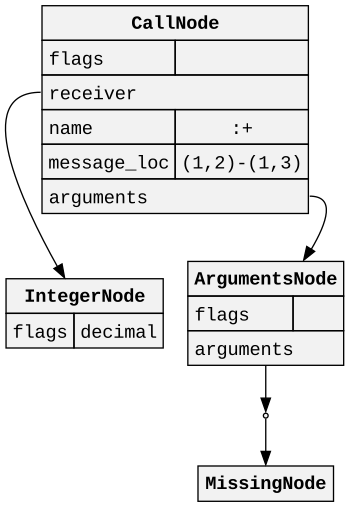
<p>We know that this is invalid Ruby code, because the <code class="language-plaintext highlighter-rouge">+</code> operator is in the infix position and requires there to be an expression on the right-hand side. However, intuitively we know that this is a method call with a missing argument. We can translate that into our parser to allow it to “handle” this syntax error by determining if the token after the <code class="language-plaintext highlighter-rouge">+</code> operator could potentially begin an expression.</p>

<p>In this case it’s the newline token, so the subsequent token cannot begin an expression. When we encounter a situation like this, we can insert a <code class="language-plaintext highlighter-rouge">MissingNode</code> into the syntax tree. This node is a placeholder that represents the missing expression. It is a child of the <code class="language-plaintext highlighter-rouge">+</code> method call, and has no children or fields of its own. After inserting the missing node we log an error and then continue parsing as if nothing happened.</p>

<p>Here is what the AST looks like for <code class="language-plaintext highlighter-rouge">1 +</code>:</p>

<div align="center">
  <img src="/assets/aop/part24-missing-node.svg" alt="missing node" />
</div>

<p>We have weaved this kind of error tolerance into prism from the beginning. This has made it suitable for use in editors and linters, which is why it is the parse tree backing the <a href="https://github.com/Shopify/ruby-lsp">ruby-lsp</a> project. By providing a syntax tree regardless of errors, it means tools like RuboCop and Sorbet can still lint and type check the input file even if it is invalid. This means sections of the file can be cached so that they do not have to be re-parsed and re-processed when the file is edited. This would not be possible if the parser simply failed on the first instance of invalid input.</p>

<h2 id="ambiguous-tokens">Ambiguous tokens</h2>

<p>Another form of syntax error is ambiguous tokens. Consider, for example, the following code:</p>

<div class="language-ruby highlighter-rouge"><div class="highlight"><pre class="highlight"><code><span class="k">class</span> <span class="nc">Foo</span>
  <span class="k">def</span> <span class="nf">bar</span>
    <span class="nb">self</span><span class="p">.</span>
  <span class="nf">end</span>
<span class="k">end</span>
</code></pre></div></div>

<p>As a developer, most people would read this as a missing method name being sent to <code class="language-plaintext highlighter-rouge">self</code> inside the <code class="language-plaintext highlighter-rouge">bar</code> method. However, it is perfectly valid Ruby to have <code class="language-plaintext highlighter-rouge">self.end</code> be separated by newlines and whitespace. This means there is an ambiguity here between if the <code class="language-plaintext highlighter-rouge">end</code> is a method name or the keyword that closes the <code class="language-plaintext highlighter-rouge">def</code> block.</p>

<p>If the <code class="language-plaintext highlighter-rouge">end</code> is parsed as a method name, then the <code class="language-plaintext highlighter-rouge">class</code> statement will not be closed. In this case a syntax error will be raised. CRuby recently developed a solution for this: insert a missing <code class="language-plaintext highlighter-rouge">end</code> token and see if it “fixes” the problem. This turns out to be a common enough pattern that this solves a lot of the ambiguity problems in the parser.</p>

<p>Prism has not yet implemented this kind of recovery, but it is first on our list of tasks for next year. If and when CRuby adopts prism as its primary parser, we could not in good conscience do so without parity or improvements in error tolerance.</p>

<h2 id="wrapping-up">Wrapping up</h2>

<p>There you have it, folks! After 24 days of posts, we have covered every piece of known Ruby syntax up to Ruby 3.3.0. Tomorrow this version of Ruby will be released, and I’m assuming shortly thereafter we will have more fun syntax coming down the pipe.</p>

<p>I wrote this series for a couple of reasons. I wanted to introduce you all to prism, so that you can use it if you want to build something on top of the Ruby syntax tree. I also wanted to introduce you all to all of the varieties of Ruby syntax that I have gotten to know through building prism. Finally, I wanted a snapshot in time of what Ruby looks like, so that I have something to point people to if they have questions in the future.</p>

<p>I have learned a lot about Ruby, AST/IR design, and parsing in this journey. I hope you have learned something too. Here are the main things I hope you take away from this series:</p>

<ul>
  <li>Ruby’s grammar is incredibly complex because it tries to allow you to express code in whatever natural way you feel is best. It has grown and will continue to grow organically over the years to fit the needs of the community. Although it is difficult to parse, it is a joy to read and write, which is far more important.</li>
  <li>Usually the relative complexity of syntax and semantics are correlated, but not always! As an example, the binary one-character <code class="language-plaintext highlighter-rouge">+</code> operator consistently represents a single method call, but the binary two-character <code class="language-plaintext highlighter-rouge">+=</code> operator represents a method call and an assignment.</li>
  <li>Syntax that looks very similar can have very different meanings, depending on context. As a corrolary, syntax that looks very different can have the same meaning, depending on context. Consider the <code class="language-plaintext highlighter-rouge">if</code> modifier, which can either be an <code class="language-plaintext highlighter-rouge">if</code> statement or a guard clause in a pattern match. Also consider the ternary <code class="language-plaintext highlighter-rouge">?</code> and <code class="language-plaintext highlighter-rouge">:</code> markers, which can represent the same thing as an <code class="language-plaintext highlighter-rouge">if</code>.</li>
  <li>Through hard work, dedication, and cooperation, we can create incredible tools and developer experiences for Rubyists everywhere.</li>
</ul>

<p>Thank you so much for reading. I hope you have a wonderful holiday season!</p>]]></content>


      <author>
          <name>Kevin Newton</name>
        
        
      </author>


        <summary type="html"><![CDATA[This blog series is about how the prism Ruby parser works. If you’re new to the series, I recommend starting from the beginning. This post is about error tolerance.]]></summary>


    </entry>
  
    <entry>


      <title type="html">Advent of Prism: Part 23 - Pattern matching (part 2)</title>
      <link href="https://kddnewton.com/2023/12/23/advent-of-prism-part-23.html" rel="alternate" type="text/html" title="Advent of Prism: Part 23 - Pattern matching (part 2)" />
      <published>2023-12-23T00:00:00+00:00</published>
      <updated>2023-12-23T00:00:00+00:00</updated>
      <id>https://kddnewton.com/2023/12/23/advent-of-prism-part-23</id>
      
      
        <content type="html" xml:base="https://kddnewton.com/2023/12/23/advent-of-prism-part-23.html"><![CDATA[<p>This blog series is about how the prism Ruby parser works. If you’re new to the series, I recommend starting from <a href="/2023/11/30/advent-of-prism-part-0">the beginning</a>. This post is about pattern matching.</p>

<p>Yesterday, we looked at the basics of pattern matching. Today we’re going to close out that discussion by talking about the more advanced features: destructuring and capturing. Let’s get into it.</p>

<h2 id="hashpatternnode"><code class="language-plaintext highlighter-rouge">HashPatternNode</code></h2>

<p>It’s common to want to match against certain attributes of an object, even if they are method calls. For example, let’s say we have some kind of person class:</p>

<div class="language-ruby highlighter-rouge"><div class="highlight"><pre class="highlight"><code><span class="k">class</span> <span class="nc">Person</span>
  <span class="nb">attr_reader</span> <span class="ss">:name</span><span class="p">,</span> <span class="ss">:age</span>

  <span class="k">def</span> <span class="nf">initialize</span><span class="p">(</span><span class="nb">name</span><span class="p">,</span> <span class="n">age</span><span class="p">)</span>
    <span class="vi">@name</span> <span class="o">=</span> <span class="nb">name</span>
    <span class="vi">@age</span> <span class="o">=</span> <span class="n">age</span>
  <span class="k">end</span>
<span class="k">end</span>
</code></pre></div></div>

<p>If we wanted to match against a specific name and age, we could do something like:</p>

<div class="language-ruby highlighter-rouge"><div class="highlight"><pre class="highlight"><code><span class="n">person</span> <span class="o">=</span> <span class="no">Person</span><span class="p">.</span><span class="nf">new</span><span class="p">(</span><span class="s2">"Kevin"</span><span class="p">,</span> <span class="mi">33</span><span class="p">)</span>

<span class="k">if</span> <span class="p">(</span><span class="n">person</span><span class="p">.</span><span class="nf">name</span> <span class="k">in</span> <span class="s2">"Kevin"</span><span class="p">)</span> <span class="o">&amp;&amp;</span> <span class="p">(</span><span class="n">person</span><span class="p">.</span><span class="nf">age</span> <span class="k">in</span> <span class="mi">33</span><span class="p">)</span>
  <span class="nb">puts</span> <span class="s2">"It's Kevin!"</span>
<span class="k">end</span>
</code></pre></div></div>

<p>This gets a bit verbose if you want to match against more than just 2 values. Fortunately, Ruby has a shorthand for this: the hash pattern. It looks like this:</p>

<div class="language-ruby highlighter-rouge"><div class="highlight"><pre class="highlight"><code><span class="k">case</span> <span class="n">person</span>
<span class="k">in</span> <span class="p">{</span> <span class="ss">name: </span><span class="s2">"Kevin"</span><span class="p">,</span> <span class="ss">age: </span><span class="mi">33</span> <span class="p">}</span>
  <span class="nb">puts</span> <span class="s2">"It's Kevin!"</span>
<span class="k">end</span>
</code></pre></div></div>

<p>This indicates that we want to match against a hash with the keys <code class="language-plaintext highlighter-rouge">name</code> and <code class="language-plaintext highlighter-rouge">age</code>, and the values <code class="language-plaintext highlighter-rouge">"Kevin"</code> and <code class="language-plaintext highlighter-rouge">33</code> respectively. In order to get this working, we will need to implement a <code class="language-plaintext highlighter-rouge">deconstruct_keys</code> method on <code class="language-plaintext highlighter-rouge">Person</code>. That looks like:</p>

<div class="language-ruby highlighter-rouge"><div class="highlight"><pre class="highlight"><code><span class="k">class</span> <span class="nc">Person</span>
  <span class="k">def</span> <span class="nf">deconstruct_keys</span><span class="p">(</span><span class="n">matching_keys</span><span class="p">)</span>
    <span class="p">((</span><span class="n">matching_keys</span> <span class="o">||</span> <span class="sx">%i[name age]</span><span class="p">)</span> <span class="o">&amp;</span> <span class="sx">%i[name age]</span><span class="p">).</span><span class="nf">to_h</span> <span class="k">do</span> <span class="o">|</span><span class="n">matching_key</span><span class="o">|</span>
      <span class="p">[</span><span class="n">matching_key</span><span class="p">,</span> <span class="n">public_send</span><span class="p">(</span><span class="n">matching_key</span><span class="p">)]</span>
    <span class="k">end</span>
  <span class="k">end</span>
<span class="k">end</span>
</code></pre></div></div>

<p>With this method in place, Ruby knows how to normalize a <code class="language-plaintext highlighter-rouge">Person</code> object into a hash. In doing so, it can then perform its matching as expected. This post is meant to discuss the parser aspects of pattern matching, but first let’s take a brief look into what <code class="language-plaintext highlighter-rouge">deconstruct_keys</code> is doing:</p>

<ol>
  <li><code class="language-plaintext highlighter-rouge">#deconstruct_keys</code> is called whenever Ruby tries to match an object against a hash pattern</li>
  <li>It is given the keys that are present in the hash pattern or <code class="language-plaintext highlighter-rouge">nil</code> if all keys should be matched</li>
  <li>In our implementation, we ensure a default value of all keys and then intersect them with the known keys</li>
  <li>Given we know the keys, we can then call <code class="language-plaintext highlighter-rouge">public_send</code> to get the values</li>
  <li>This returns a hash of <code class="language-plaintext highlighter-rouge">{ name: name, age: age }</code> in the case that all keys are matched against</li>
</ol>

<p>In terms of the actual syntax, every time you see a hash pattern you can know that <code class="language-plaintext highlighter-rouge">#deconstruct_keys</code> is going to be called on the match object before any matching occurs. This is significantly different from other patterns we have seen which do not usually trigger method calls on the object iself.</p>

<p>For the hash pattern itself, there are a couple of variations. Here are some examples:</p>

<div class="language-ruby highlighter-rouge"><div class="highlight"><pre class="highlight"><code><span class="k">case</span> <span class="n">person</span>
<span class="k">in</span> <span class="no">Person</span><span class="p">[</span><span class="ss">name: </span><span class="s2">"Kevin"</span><span class="p">]</span>               <span class="c1"># (1)</span>
<span class="k">in</span> <span class="no">Person</span><span class="p">(</span><span class="ss">age: </span><span class="mi">33</span><span class="p">)</span>                     <span class="c1"># (2)</span>
<span class="k">in</span> <span class="p">{</span> <span class="ss">name: </span><span class="sr">/Kevin/</span> <span class="p">}</span>                   <span class="c1"># (3)</span>
<span class="k">in</span> <span class="ss">age: </span><span class="no">Integer</span>                        <span class="c1"># (4)</span>
<span class="k">in</span> <span class="no">Person</span><span class="p">[</span><span class="o">**</span><span class="n">attributes</span><span class="p">]</span>                <span class="c1"># (5)</span>
<span class="k">in</span> <span class="no">Person</span><span class="p">[</span><span class="o">**</span><span class="kp">nil</span><span class="p">]</span>                       <span class="c1"># (6)</span>
<span class="k">in</span> <span class="no">Person</span><span class="p">[</span><span class="ss">name: </span><span class="no">Person</span><span class="p">[</span><span class="ss">name: </span><span class="s2">"Kevin"</span><span class="p">]]</span> <span class="c1"># (7)</span>
<span class="k">end</span>
</code></pre></div></div>

<p>We’ll talk about each of these in turn:</p>

<ol>
  <li>You can optionally attach a constant path to a hash pattern which will first check the constant to see if it matches the class of the object using the <code class="language-plaintext highlighter-rouge">#===</code> method.</li>
  <li>You can use <code class="language-plaintext highlighter-rouge">[]</code> or <code class="language-plaintext highlighter-rouge">()</code> to surround the attributes of the hash pattern after a constant.</li>
  <li>Keys in hash patterns must always be symbol labels but values can be any object that could be used in a pattern match.</li>
  <li>The braces can be omitted on hash patterns in most cases.</li>
  <li>You can use the double splat operator to capture all remaining keys in a hash pattern. This will assign them to a local variable if a name is present.</li>
  <li>You can use the double splat operator with <code class="language-plaintext highlighter-rouge">nil</code> to match against empty hashes.</li>
  <li>You can nest hash patterns inside of other patterns as the values of keys.</li>
</ol>

<p>Let’s simplify the example first:</p>

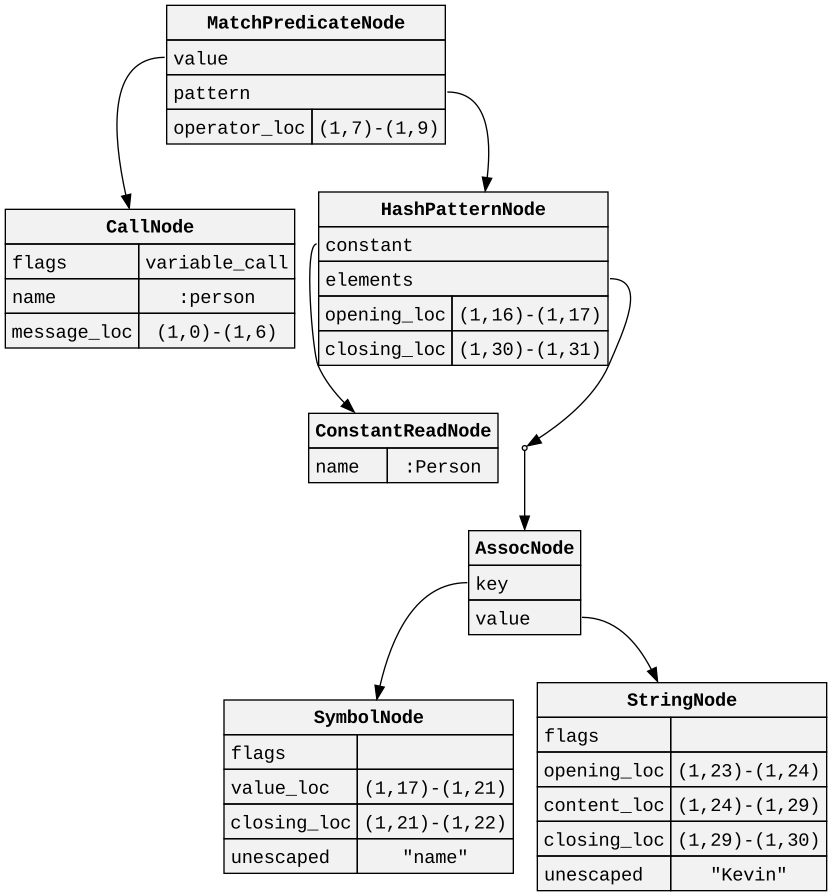
<div class="language-ruby highlighter-rouge"><div class="highlight"><pre class="highlight"><code><span class="n">person</span> <span class="k">in</span> <span class="no">Person</span><span class="p">[</span><span class="ss">name: </span><span class="s2">"Kevin"</span><span class="p">]</span>
</code></pre></div></div>

<p>So that we can look at the AST:</p>

<div align="center">
  <img src="/assets/aop/part23-hash-pattern-node.svg" alt="hash pattern node" />
</div>

<p>You can see we have pointers to the optional constant as well as the list of elements within the hash pattern to match against.</p>

<h2 id="arraypatternnode"><code class="language-plaintext highlighter-rouge">ArrayPatternNode</code></h2>

<p>Normalizing to a hash is common, but sometimes objects more closely resemble arrays. For example, let’s say we have a <code class="language-plaintext highlighter-rouge">Point</code> class:</p>

<div class="language-ruby highlighter-rouge"><div class="highlight"><pre class="highlight"><code><span class="k">class</span> <span class="nc">Point</span>
  <span class="nb">attr_reader</span> <span class="ss">:x</span><span class="p">,</span> <span class="ss">:y</span>

  <span class="k">def</span> <span class="nf">initialize</span><span class="p">(</span><span class="n">x</span><span class="p">,</span> <span class="n">y</span><span class="p">)</span>
    <span class="vi">@x</span> <span class="o">=</span> <span class="n">x</span>
    <span class="vi">@y</span> <span class="o">=</span> <span class="n">y</span>
  <span class="k">end</span>
<span class="k">end</span>
</code></pre></div></div>

<p>We can match against this class using an array pattern:</p>

<div class="language-ruby highlighter-rouge"><div class="highlight"><pre class="highlight"><code><span class="k">case</span> <span class="n">point</span>
<span class="k">in</span> <span class="no">Point</span><span class="p">[</span><span class="mi">5</span><span class="p">,</span> <span class="mi">6</span><span class="p">]</span>
  <span class="nb">puts</span> <span class="s2">"found!"</span>
<span class="k">end</span>
</code></pre></div></div>

<p>This will call <code class="language-plaintext highlighter-rouge">#deconstruct</code> on the <code class="language-plaintext highlighter-rouge">Point</code> object, which must return an array. This is then matched against the array pattern. This method looks like:</p>

<div class="language-ruby highlighter-rouge"><div class="highlight"><pre class="highlight"><code><span class="k">class</span> <span class="nc">Point</span>
  <span class="k">def</span> <span class="nf">deconstruct</span>
    <span class="p">[</span><span class="n">x</span><span class="p">,</span> <span class="n">y</span><span class="p">]</span>
  <span class="k">end</span>
<span class="k">end</span>
</code></pre></div></div>

<p>Note that unlike <code class="language-plaintext highlighter-rouge">#deconstruct_keys</code> there is no argument to <code class="language-plaintext highlighter-rouge">#deconstruct</code>, so there is no way to limit the size of the resulting array in the case that only a couple of values are matched.</p>

<p>Most of the varieties of hash patterns also apply to array patterns as well. Here are some examples:</p>

<div class="language-ruby highlighter-rouge"><div class="highlight"><pre class="highlight"><code><span class="k">case</span> <span class="n">point</span>
<span class="k">in</span> <span class="no">Point</span><span class="p">[</span><span class="mi">5</span><span class="p">,</span> <span class="o">*</span><span class="p">]</span>        <span class="c1"># (1)</span>
<span class="k">in</span> <span class="no">Point</span><span class="p">(</span><span class="mi">5</span><span class="p">,</span> <span class="o">*</span><span class="p">)</span>        <span class="c1"># (2)</span>
<span class="k">in</span> <span class="p">[</span><span class="mi">5</span><span class="p">,</span> <span class="mi">6</span><span class="p">]</span>             <span class="c1"># (3)</span>
<span class="k">in</span> <span class="mi">5</span><span class="p">,</span> <span class="mi">6</span>               <span class="c1"># (4)</span>
<span class="k">in</span> <span class="p">[</span><span class="no">Integer</span><span class="p">,</span> <span class="no">Integer</span><span class="p">]</span> <span class="c1"># (5)</span>
<span class="k">in</span> <span class="p">[</span><span class="mi">5</span><span class="p">,</span> <span class="p">[</span><span class="mi">6</span><span class="p">,</span> <span class="mi">7</span><span class="p">]]</span>        <span class="c1"># (6)</span>
<span class="k">end</span>
</code></pre></div></div>

<p>We’ll talk about each of these in turn:</p>

<ol>
  <li>You can use the splat operator to capture all remaining elements in an array pattern. This will assign them to a local variable if a name is present.</li>
  <li>You can use <code class="language-plaintext highlighter-rouge">[]</code> or <code class="language-plaintext highlighter-rouge">()</code> to surround the elements of the array pattern.</li>
  <li>You do not have to match against a constant, you can match instead directly against an array.</li>
  <li>You can omit the surrounding <code class="language-plaintext highlighter-rouge">[]</code> on array patterns in most cases.</li>
  <li>You can use any pattern as an element of an array pattern. The value will always be matched with the <code class="language-plaintext highlighter-rouge">#===</code> method.</li>
  <li>You can nest array patterns inside of other patterns as the elements of the array.</li>
</ol>

<p>Simplifying our match a bit:</p>

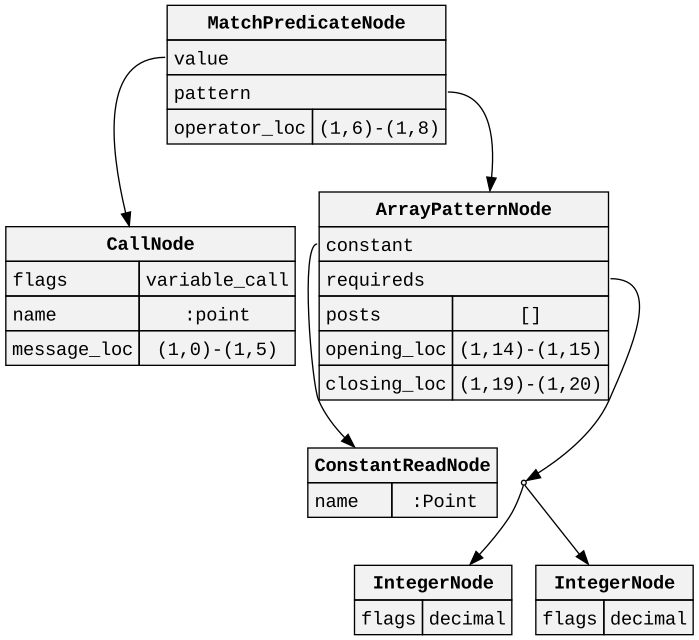
<div class="language-ruby highlighter-rouge"><div class="highlight"><pre class="highlight"><code><span class="n">point</span> <span class="k">in</span> <span class="no">Point</span><span class="p">[</span><span class="mi">5</span><span class="p">,</span> <span class="mi">6</span><span class="p">]</span>
</code></pre></div></div>

<p>Let’s take a look at the AST:</p>

<div align="center">
  <img src="/assets/aop/part23-array-pattern-node.svg" alt="array pattern node" />
</div>

<p>You can see that this is split up in much the same way as a multi target node where we have a list of <code class="language-plaintext highlighter-rouge">requireds</code>, <code class="language-plaintext highlighter-rouge">posts</code>, and an optional slot for <code class="language-plaintext highlighter-rouge">rest</code>. Note that it is only possible to use a single splat operator in an array pattern.</p>

<h2 id="findpatternnode"><code class="language-plaintext highlighter-rouge">FindPatternNode</code></h2>

<p>There is another way of matching against arrays that allows you to search for specific elements. This is called the find pattern. It looks like this:</p>

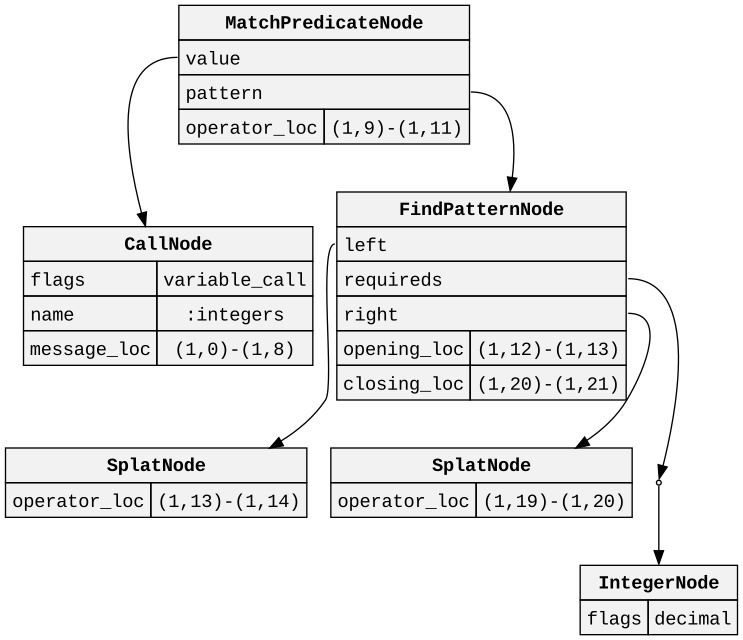
<div class="language-ruby highlighter-rouge"><div class="highlight"><pre class="highlight"><code><span class="n">integers</span> <span class="k">in</span> <span class="p">[</span><span class="o">*</span><span class="p">,</span> <span class="mi">5</span><span class="p">,</span> <span class="o">*</span><span class="p">]</span>
</code></pre></div></div>

<p>This will return <code class="language-plaintext highlighter-rouge">true</code> if the array contains the value <code class="language-plaintext highlighter-rouge">5</code> at any position. We represent this kind of pattern with a <code class="language-plaintext highlighter-rouge">FindPatternNode</code>. Let’s take a look at the AST:</p>

<div align="center">
  <img src="/assets/aop/part23-find-pattern-node.svg" alt="find pattern node" />
</div>

<p>Note that all of the syntactic variations of the array pattern also apply here to the find pattern. The splats on the left and right of the pattern are required, and may optionally have names. The list of values in the middle can have as many sub patterns as you want.</p>

<h2 id="local-variable-targeting">Local variable targeting</h2>

<p>As we mentioned yesterday, reading local variables in patterns involves the use of the <code class="language-plaintext highlighter-rouge">^</code> operator. Writing local variables, on the other hand, involves only the name of the local variable. For example:</p>

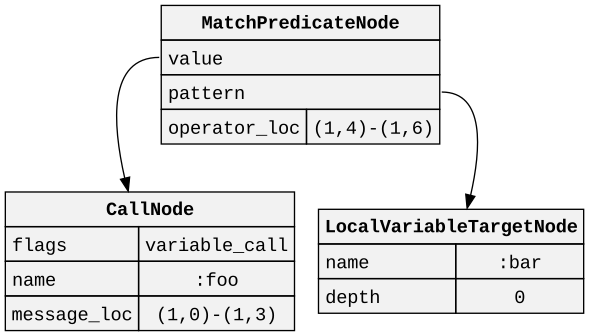
<div class="language-ruby highlighter-rouge"><div class="highlight"><pre class="highlight"><code><span class="n">foo</span> <span class="k">in</span> <span class="n">bar</span>
</code></pre></div></div>

<p>In this pattern match we are assigning the value of <code class="language-plaintext highlighter-rouge">foo</code> to the local variable <code class="language-plaintext highlighter-rouge">bar</code>. Here’s the AST for this example:</p>

<div align="center">
  <img src="/assets/aop/part23-local-variable-target-node.svg" alt="local variable target node" />
</div>

<p>This gets much more powerful when combined with all of the other patterns we have learned about so far. For example, if you combine pinning, local variable targeting, and a find pattern, you can do:</p>

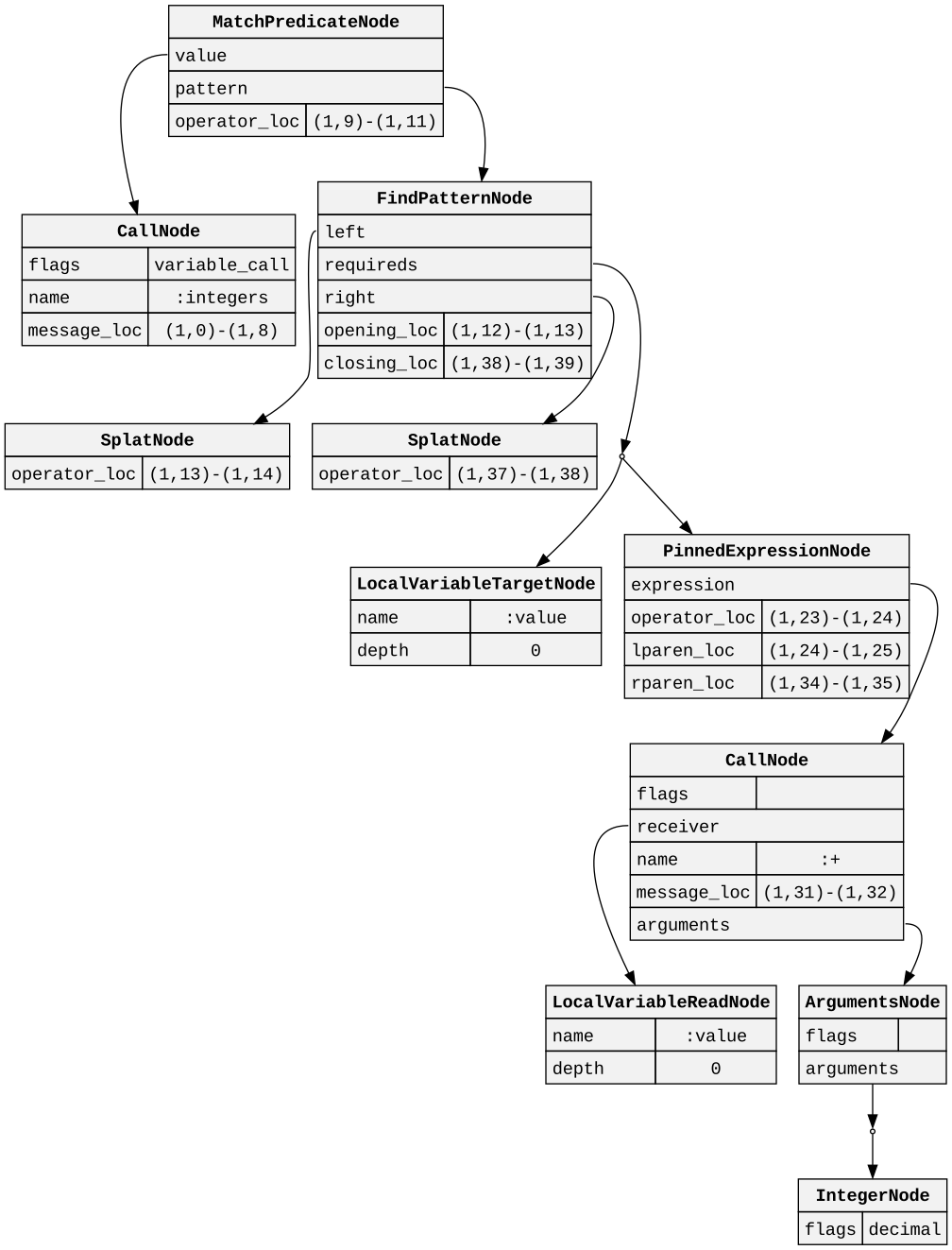
<div class="language-ruby highlighter-rouge"><div class="highlight"><pre class="highlight"><code><span class="n">integers</span> <span class="k">in</span> <span class="p">[</span><span class="o">*</span><span class="p">,</span> <span class="n">value</span><span class="p">,</span> <span class="o">^</span><span class="p">(</span><span class="n">value</span> <span class="o">+</span> <span class="mi">1</span><span class="p">),</span> <span class="o">*</span><span class="p">]</span>
</code></pre></div></div>

<p>This will check within the array for a value that is followed by a value that is 1 greater than it. If it finds one, it will assign the value to the local variable <code class="language-plaintext highlighter-rouge">value</code> and return <code class="language-plaintext highlighter-rouge">true</code>. Here’s the AST for this example:</p>

<div align="center">
  <img src="/assets/aop/part23-local-variable-target-node-2.svg" alt="local variable target node" />
</div>

<p>As you can see, pattern matching can get quite complex quite quickly.</p>

<h2 id="capturepatternnode"><code class="language-plaintext highlighter-rouge">CapturePatternNode</code></h2>

<p>Writing to a local variable is very nice, especially when you want to use that value later. However, using this syntax does not allow you to pattern matching the value you are about to write. That is where the <code class="language-plaintext highlighter-rouge">=&gt;</code> operator comes into play. Note that this is a different operator from the hash key/value pair delimiter <em>and</em> a different operator from the operator that triggers pattern matching in the first place.</p>

<p>Let’s take a look at an example:</p>

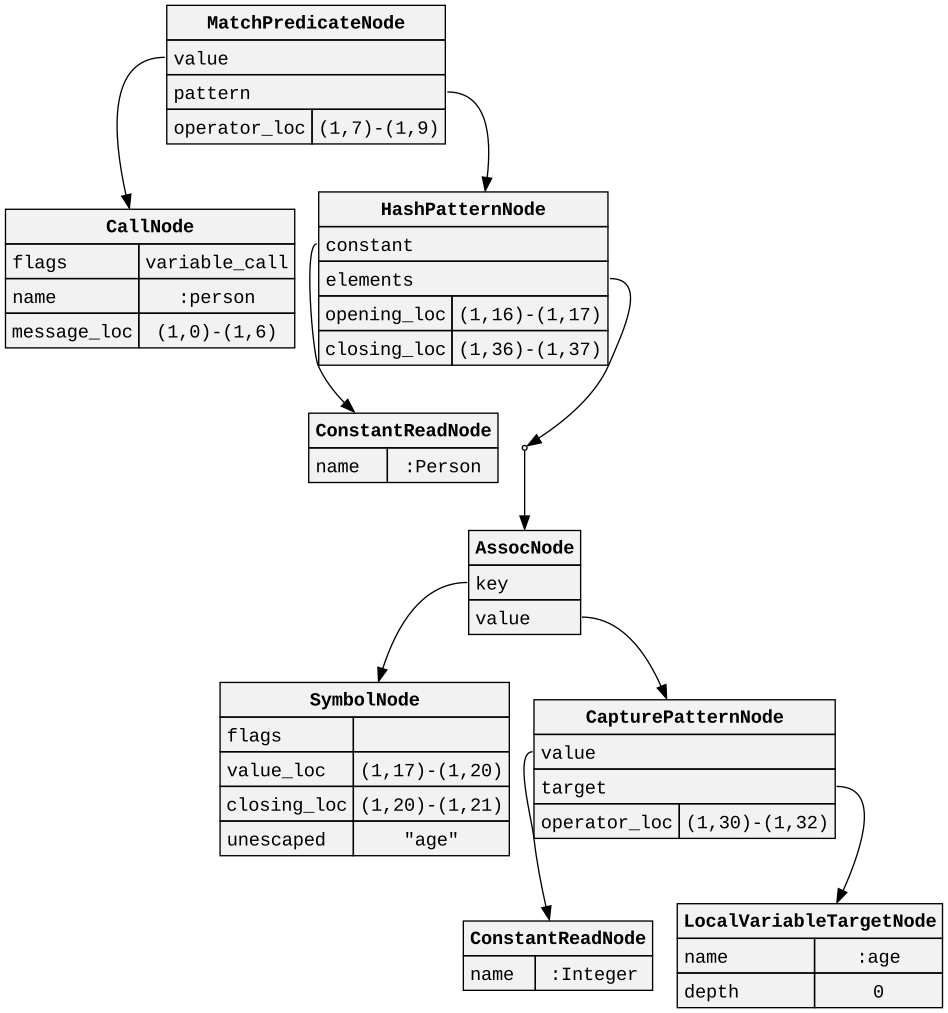
<div class="language-ruby highlighter-rouge"><div class="highlight"><pre class="highlight"><code><span class="n">person</span> <span class="k">in</span> <span class="no">Person</span><span class="p">[</span><span class="ss">age: </span><span class="no">Integer</span> <span class="o">=&gt;</span> <span class="n">age</span><span class="p">]</span>
</code></pre></div></div>

<p>In this example, we are matching against a <code class="language-plaintext highlighter-rouge">Person</code> object with an <code class="language-plaintext highlighter-rouge">age</code> key that is an <code class="language-plaintext highlighter-rouge">Integer</code>. If we find a match, we will assign the value of the <code class="language-plaintext highlighter-rouge">age</code> key to the local variable <code class="language-plaintext highlighter-rouge">age</code>. Here’s the AST for this example:</p>

<div align="center">
  <img src="/assets/aop/part23-capture-pattern-node.svg" alt="capture pattern node" />
</div>

<p>Note that only local variables can be written this way. Local variables at different depths <em>can</em> be written, though, so something like this is possible:</p>

<div class="language-ruby highlighter-rouge"><div class="highlight"><pre class="highlight"><code><span class="n">age</span> <span class="o">=</span> <span class="mi">30</span>
<span class="nb">self</span><span class="p">.</span><span class="nf">then</span> <span class="p">{</span> <span class="n">person</span> <span class="k">in</span> <span class="no">Person</span><span class="p">[</span><span class="ss">age: </span><span class="no">Integer</span> <span class="o">=&gt;</span> <span class="n">age</span><span class="p">]</span> <span class="p">}</span>
</code></pre></div></div>

<p>This is somewhat contrived, but it demonstrates that you can assign to an already existing local variable.</p>

<h2 id="wrapping-up">Wrapping up</h2>

<p>Today we looked at the more powerful features of pattern matching: destructuring and capturing. Here are the main takeaways:</p>

<ul>
  <li>Ruby allows you to define your own normalization functions named <code class="language-plaintext highlighter-rouge">#deconstruct</code> and <code class="language-plaintext highlighter-rouge">#deconstruct_keys</code> to form arrays and hashes, respectively from your objects to match against.</li>
  <li>The argument to <code class="language-plaintext highlighter-rouge">#deconstruct_keys</code> can be <code class="language-plaintext highlighter-rouge">nil</code>. In this case, all keys will be matched against.</li>
  <li>You can write to local variables by simply listing the name of the local variable.</li>
  <li>You can match against <em>and</em> capture the value of a field in a match by using the <code class="language-plaintext highlighter-rouge">=&gt;</code> operator.</li>
  <li>The <code class="language-plaintext highlighter-rouge">=&gt;</code> operator is very overloaded.</li>
</ul>

<p>Believe it or not, we only have a single node left in our tree. We’ll talk about it tomorrrow. See you then!</p>]]></content>


      <author>
          <name>Kevin Newton</name>
        
        
      </author>


        <summary type="html"><![CDATA[This blog series is about how the prism Ruby parser works. If you’re new to the series, I recommend starting from the beginning. This post is about pattern matching.]]></summary>


    </entry>
  
    <entry>


      <title type="html">Advent of Prism: Part 22 - Pattern matching (part 1)</title>
      <link href="https://kddnewton.com/2023/12/22/advent-of-prism-part-22.html" rel="alternate" type="text/html" title="Advent of Prism: Part 22 - Pattern matching (part 1)" />
      <published>2023-12-22T00:00:00+00:00</published>
      <updated>2023-12-22T00:00:00+00:00</updated>
      <id>https://kddnewton.com/2023/12/22/advent-of-prism-part-22</id>
      
      
        <content type="html" xml:base="https://kddnewton.com/2023/12/22/advent-of-prism-part-22.html"><![CDATA[<p>This blog series is about how the prism Ruby parser works. If you’re new to the series, I recommend starting from <a href="/2023/11/30/advent-of-prism-part-0">the beginning</a>. This post is about pattern matching.</p>

<p>Pattern matching was introduced in Ruby 2.7 as a way to match against a value and extract parts of it. It’s a very powerful feature that effectively allows you to replace syntactically complicated <code class="language-plaintext highlighter-rouge">if</code>/<code class="language-plaintext highlighter-rouge">case</code> statements with a more terse syntax. (To be clear: the syntax is less complicated in pattern matching but the semantics — if anything — are more complicated.)</p>

<p>The pattern matching grammar is a whole grammar unto itself. You can think of it as a mini-parser within the overall Ruby parser. Operators like <code class="language-plaintext highlighter-rouge">|</code>, <code class="language-plaintext highlighter-rouge">^</code>, and <code class="language-plaintext highlighter-rouge">=&gt;</code> have different meaning, brackets and braces create different kinds of structures, and reads/writes are flipped from what you might expect. It’s a lot to take in, which is why pattern matching is split over two posts.</p>

<p>In this first part we’ll look at the nodes that trigger pattern matching, as well as introduce the basics of matching against individual values. We’ll also look at alternation and pinning. Tomorrow we’ll cover the more advanced concepts: destructuring and capturing. For now, let’s jump in.</p>

<h2 id="matching">Matching</h2>

<p>There are three ways to trigger pattern matching: using a <code class="language-plaintext highlighter-rouge">case ... in</code> statement, using the binary <code class="language-plaintext highlighter-rouge">in</code> operator, or using the binary <code class="language-plaintext highlighter-rouge">=&gt;</code> operator. They each do different things, so we’ll look at each one in turn.</p>

<h3 id="casematchnode"><code class="language-plaintext highlighter-rouge">CaseMatchNode</code></h3>

<p>When a <code class="language-plaintext highlighter-rouge">case</code> keyword is used, the parser first checks to see if there is a value associated with it. (Remember from <a href="/2023/12/07/advent-of-prism-part-7">Part 7 - Control-flow</a> that <code class="language-plaintext highlighter-rouge">case</code> can optionally replace <code class="language-plaintext highlighter-rouge">if</code>/<code class="language-plaintext highlighter-rouge">elsif</code> chains by omitting the value.) If there <em>is</em> a value, then the parser parses it and then checks the subsequent keyword. If the keyword is <code class="language-plaintext highlighter-rouge">when</code> then a <code class="language-plaintext highlighter-rouge">CaseNode</code> is created and parsed. If the keyword is <code class="language-plaintext highlighter-rouge">in</code> then a <code class="language-plaintext highlighter-rouge">CaseMatchNode</code> is created and parsed. Here’s an example:</p>

<div class="language-ruby highlighter-rouge"><div class="highlight"><pre class="highlight"><code><span class="k">case</span> <span class="n">foo</span>
<span class="k">in</span> <span class="no">Integer</span>
  <span class="nb">puts</span> <span class="s2">"foo is an integer"</span>
<span class="k">end</span>
</code></pre></div></div>

<p>The above code will call the <code class="language-plaintext highlighter-rouge">foo</code> method and then check if the return value is an <code class="language-plaintext highlighter-rouge">Integer</code> using <code class="language-plaintext highlighter-rouge">Integer::===</code> (just like <code class="language-plaintext highlighter-rouge">case ... when</code> statements). If it is, then the <code class="language-plaintext highlighter-rouge">puts</code> statement will be executed. If it isn’t the subsequent clause will be checked. In this case because there are no more, it will raise a <code class="language-plaintext highlighter-rouge">NoMatchingPatternError</code>. The AST for the above code looks like this:</p>

<div align="center">
  <img src="/assets/aop/part22-case-match-node.svg" alt="case match node" />
</div>

<p>You can see that the structure is very similar to a <code class="language-plaintext highlighter-rouge">CaseNode</code>. Initially we had it as the same node, but decided to split considering it has such significantly different semantics.</p>

<p>The <code class="language-plaintext highlighter-rouge">CaseMatchNode</code> contains a pointer to the value to match against as well as a flat list of clauses to check. Each clause is or contains an <code class="language-plaintext highlighter-rouge">InNode</code> node. It also contains an optional <code class="language-plaintext highlighter-rouge">else</code> clause, which is an <code class="language-plaintext highlighter-rouge">ElseNode</code> node. That looks like:</p>

<div class="language-ruby highlighter-rouge"><div class="highlight"><pre class="highlight"><code><span class="k">case</span> <span class="n">foo</span>
<span class="k">in</span> <span class="no">Integer</span>
  <span class="nb">puts</span> <span class="s2">"foo is an integer"</span>
<span class="k">else</span>
  <span class="nb">puts</span> <span class="s2">"foo is something else"</span>
<span class="k">end</span>
</code></pre></div></div>

<p>That AST looks like:</p>

<div align="center">
  <img src="/assets/aop/part22-case-match-node.svg" alt="case match node" />
</div>

<p>The <code class="language-plaintext highlighter-rouge">else</code> clause allows you to specify a default behavior, meaning a <code class="language-plaintext highlighter-rouge">NoMatchingPatternError</code> will not be raised. Note that this can initially be surprising for developers who are familiar with <code class="language-plaintext highlighter-rouge">case ... when</code> statements because this error raising behavior is specific to pattern matching.</p>

<h3 id="innode"><code class="language-plaintext highlighter-rouge">InNode</code></h3>

<p>Every clause in a <code class="language-plaintext highlighter-rouge">CaseMatchNode</code> is or contains an <code class="language-plaintext highlighter-rouge">InNode</code>. It contains a pointer to the singular pattern to match against and the statements to execute if the pattern matches. For example:</p>

<div class="language-ruby highlighter-rouge"><div class="highlight"><pre class="highlight"><code><span class="k">case</span> <span class="n">foo</span>
<span class="k">in</span> <span class="no">Integer</span>
  <span class="nb">puts</span> <span class="s2">"foo is an integer"</span>
<span class="k">end</span>
</code></pre></div></div>

<p>Importantly, <code class="language-plaintext highlighter-rouge">in</code> differs from <code class="language-plaintext highlighter-rouge">when</code> in that the pattern is singular and not a comma-separated list. Further evidence that the pattern matching grammar differs somewhat significantly from the Ruby grammar. The AST for this example is a part of the <code class="language-plaintext highlighter-rouge">CaseMatchNode</code> AST above.</p>

<h4 id="guards">Guards</h4>

<p>It is possible to add guard clauses to <code class="language-plaintext highlighter-rouge">in</code> clauses. These are conditions that will also be checked in addition to the pattern, after the pattern has run. They can begin with either an <code class="language-plaintext highlighter-rouge">if</code> or <code class="language-plaintext highlighter-rouge">unless</code> keyword. For example:</p>

<div class="language-ruby highlighter-rouge"><div class="highlight"><pre class="highlight"><code><span class="k">case</span> <span class="n">foo</span>
<span class="k">in</span> <span class="no">Integer</span> <span class="k">if</span> <span class="n">foo</span> <span class="o">&gt;</span> <span class="mi">10</span>
  <span class="nb">puts</span> <span class="s2">"foo is an integer greater than 10"</span>
<span class="k">in</span> <span class="no">Integer</span> <span class="k">if</span> <span class="n">foo</span> <span class="o">&gt;</span> <span class="mi">5</span>
  <span class="nb">puts</span> <span class="s2">"foo is an integer greater than 5"</span>
<span class="k">else</span>
  <span class="nb">puts</span> <span class="s2">"foo is something else"</span>
<span class="k">end</span>
</code></pre></div></div>

<p>These guards can be extremely powerful because you can reference values that you matched against. Fortunately for us, we already have a node that represents this kind of behavior: <code class="language-plaintext highlighter-rouge">IfNode</code>. In this case we reuse it. Here is the AST for this example (with the bodies of the <code class="language-plaintext highlighter-rouge">InNode</code> clauses stripped out):</p>

<div align="center">
  <img src="/assets/aop/part22-if-guard.svg" alt="if guard" />
</div>

<h3 id="matchpredicatenode"><code class="language-plaintext highlighter-rouge">MatchPredicateNode</code></h3>

<p>The <code class="language-plaintext highlighter-rouge">in</code> keyword can be also used as a binary operator. We call this a “match predicate” because it always returns <code class="language-plaintext highlighter-rouge">true</code> or <code class="language-plaintext highlighter-rouge">false</code>. Here is an example:</p>

<div class="language-ruby highlighter-rouge"><div class="highlight"><pre class="highlight"><code><span class="n">foo</span> <span class="k">in</span> <span class="no">Integer</span>
</code></pre></div></div>

<p>This will call the <code class="language-plaintext highlighter-rouge">Integer::===</code> method with the return value of the <code class="language-plaintext highlighter-rouge">foo</code> method call and return <code class="language-plaintext highlighter-rouge">true</code> or <code class="language-plaintext highlighter-rouge">false</code> depending on whether the value matches. Importantly, no error will be raised regardless of the outcome. The AST for this example looks like:</p>

<div align="center">
  <img src="/assets/aop/part22-match-predicate-node.svg" alt="match predicate node" />
</div>

<p>This is another case of a relatively simple AST that represents a relatively complicated semantic. Under the hood the entire pattern on the right-hand side is compiled into a set of requirements that are then checked against the value on the left-hand side.</p>

<h3 id="matchrequirednode"><code class="language-plaintext highlighter-rouge">MatchRequiredNode</code></h3>

<p>The <code class="language-plaintext highlighter-rouge">=&gt;</code> operator is reused from hashes and rescues as a binary operator to match “match required”. Here is an example:</p>

<div class="language-ruby highlighter-rouge"><div class="highlight"><pre class="highlight"><code><span class="n">foo</span> <span class="o">=&gt;</span> <span class="no">Integer</span>
</code></pre></div></div>

<p>This is similar to the <code class="language-plaintext highlighter-rouge">in</code> operator, but it will raise a <code class="language-plaintext highlighter-rouge">NoMatchingPatternError</code> if the value does not match. The AST for this example looks like:</p>

<div align="center">
  <img src="/assets/aop/part22-match-required-node.svg" alt="match required node" />
</div>

<p>Again, this is a relatively simple AST that hides some real complexity. Lots of developers are initially confused by the difference between <code class="language-plaintext highlighter-rouge">in</code> and <code class="language-plaintext highlighter-rouge">=&gt;</code> because of the inconsistency with the rest of the language. As we’ve seen, usually operator/keyword pairs do the same thing and just have different precedence like <code class="language-plaintext highlighter-rouge">and</code>/<code class="language-plaintext highlighter-rouge">&amp;&amp;</code>, <code class="language-plaintext highlighter-rouge">or</code>/<code class="language-plaintext highlighter-rouge">||</code>, <code class="language-plaintext highlighter-rouge">not</code>/<code class="language-plaintext highlighter-rouge">!</code>. In this case, however, it’s important to remember that this keyword and operator have very different semantics.</p>

<h2 id="patterns">Patterns</h2>

<p>Now that we’ve looked at the nodes that hold patterns, let’s look at some of the patterns themselves. In general you can match against most literal objects (numbers, strings, ranges, regular expressions, etc.). In every case the <code class="language-plaintext highlighter-rouge">#===</code> method will be called on the pattern with the value to match against (under the hood in CRuby the <code class="language-plaintext highlighter-rouge">checkmatch</code> instruction does exactly this). For example:</p>

<div class="language-ruby highlighter-rouge"><div class="highlight"><pre class="highlight"><code><span class="n">foo</span> <span class="k">in</span> <span class="mi">1</span>
<span class="n">foo</span> <span class="k">in</span> <span class="mf">1.0</span>
<span class="n">foo</span> <span class="k">in</span> <span class="mi">1</span><span class="o">..</span><span class="mi">10</span>
<span class="n">foo</span> <span class="k">in</span> <span class="s2">"foo"</span>
<span class="n">foo</span> <span class="k">in</span> <span class="ss">:foo</span>
<span class="n">foo</span> <span class="k">in</span> <span class="ss">:"foo"</span>
<span class="n">foo</span> <span class="k">in</span> <span class="sr">/foo/</span>
<span class="n">foo</span> <span class="k">in</span> <span class="no">Foo</span>
</code></pre></div></div>

<p>Matching against a single value is useful, but sometimes you want to match against multiple values. We’ll look at that next.</p>

<h3 id="alternationpatternnode"><code class="language-plaintext highlighter-rouge">AlternationPatternNode</code></h3>

<p>When you want to match against multiple values, you can use the <code class="language-plaintext highlighter-rouge">|</code> operator. This operator is different from the normal Ruby <code class="language-plaintext highlighter-rouge">|</code> method call. Instead, it indicates that the pattern on the left-hand side <em>or</em> the pattern on the right-hand side should check for a match. You can think of it as semantically similar to the commas in a <code class="language-plaintext highlighter-rouge">case ... when</code> statement. For example:</p>

<div class="language-ruby highlighter-rouge"><div class="highlight"><pre class="highlight"><code><span class="n">foo</span> <span class="k">in</span> <span class="mi">1</span> <span class="o">|</span> <span class="mi">2</span>
</code></pre></div></div>

<p>This will match if <code class="language-plaintext highlighter-rouge">foo</code> is either <code class="language-plaintext highlighter-rouge">1</code> or <code class="language-plaintext highlighter-rouge">2</code>. The AST for this example looks like:</p>

<div align="center">
  <img src="/assets/aop/part22-alternation-pattern-node.svg" alt="alternation pattern node" />
</div>

<p>Note that <code class="language-plaintext highlighter-rouge">|</code> can be chained, in which case the parser will form a linked list of <code class="language-plaintext highlighter-rouge">AlternationPatternNode</code> nodes. For example:</p>

<div class="language-ruby highlighter-rouge"><div class="highlight"><pre class="highlight"><code><span class="n">foo</span> <span class="k">in</span> <span class="mi">1</span> <span class="o">|</span> <span class="mf">1.0</span> <span class="o">|</span> <span class="mi">1</span><span class="n">r</span> <span class="o">|</span> <span class="mi">1</span><span class="n">i</span>
</code></pre></div></div>

<p>The AST for this example looks like:</p>

<div align="center">
  <img src="/assets/aop/part22-alternation-pattern-node-2.svg" alt="alternation pattern node" />
</div>

<h2 id="pinning">Pinning</h2>

<p>Matching against static values is nice, but it’s not nearly as powerful as matching against dynamic values. For example, let’s say you have some local variable that you want to match against the return value of a method. Let’s see how we can do that.</p>

<h3 id="pinnedvariablenode"><code class="language-plaintext highlighter-rouge">PinnedVariableNode</code></h3>

<p>When you want to match against a variable value, you can use the <code class="language-plaintext highlighter-rouge">^</code> operator. This is called the “pin” operator, which “pins” the value within the pattern. For example:</p>

<div class="language-ruby highlighter-rouge"><div class="highlight"><pre class="highlight"><code><span class="n">bar</span> <span class="o">=</span> <span class="mi">5</span>
<span class="n">foo</span> <span class="k">in</span> <span class="o">^</span><span class="n">bar</span>
</code></pre></div></div>

<p>This will call <code class="language-plaintext highlighter-rouge">#===</code> on the value of the <code class="language-plaintext highlighter-rouge">bar</code> local variable to check if the return value of the <code class="language-plaintext highlighter-rouge">foo</code> method call matches. The AST for this example looks like:</p>

<div align="center">
  <img src="/assets/aop/part22-pinned-variable-node.svg" alt="pinned variable node" />
</div>

<p>Note that you can pin any kind of variable, so this could also be instance, class, or global variables. For example:</p>

<div class="language-ruby highlighter-rouge"><div class="highlight"><pre class="highlight"><code><span class="n">foo</span> <span class="k">in</span> <span class="o">^</span><span class="vi">@bar</span>
<span class="n">foo</span> <span class="k">in</span> <span class="o">^</span><span class="vc">@@bar</span>
<span class="n">foo</span> <span class="k">in</span> <span class="o">^</span><span class="vg">$bar</span>
</code></pre></div></div>

<p>In all cases, the <code class="language-plaintext highlighter-rouge">PinnedVariableNode</code> will be used, which has a single pointer to the variable being pinned. Note that this syntax is how you read variables in pattern matching: by prefixing them with the <code class="language-plaintext highlighter-rouge">^</code> operator. We’ll see in our post tomorrow how writing variables looks an awful lot like reading variables everywhere else in Ruby.</p>

<h3 id="pinnedexpressionnode"><code class="language-plaintext highlighter-rouge">PinnedExpressionNode</code></h3>

<p>Beyond pinning variables, you can also pin expressions. This looks like:</p>

<div class="language-ruby highlighter-rouge"><div class="highlight"><pre class="highlight"><code><span class="n">foo</span> <span class="k">in</span> <span class="o">^</span><span class="p">(</span><span class="n">bar</span><span class="p">)</span>
</code></pre></div></div>

<p>This will call the <code class="language-plaintext highlighter-rouge">bar</code> method and use its value within the pattern (i.e., it will call <code class="language-plaintext highlighter-rouge">#===</code> on the return value). The AST for this example looks like:</p>

<div align="center">
  <img src="/assets/aop/part22-pinned-expression-node.svg" alt="pinned expression node" />
</div>

<p>Note that the parentheses are the only difference betwen <code class="language-plaintext highlighter-rouge">PinnedVariableNode</code> and <code class="language-plaintext highlighter-rouge">PinnedExpressionNode</code> in terms of syntax, though they have very different semantics. Note also that unlike everywhere else in Ruby, multiple statements are not allowed within the parentheses. So even though space is allowed between <code class="language-plaintext highlighter-rouge">^</code> and <code class="language-plaintext highlighter-rouge">(</code>, I encourage you to think of them as a single delimiter.</p>

<h2 id="wrapping-up">Wrapping up</h2>

<p>Today we looked at the basics of pattern matching syntax. This includes all of the nodes that trigger pattern matching, as well as some of the more basic patterns. Here are some things to remember from today:</p>

<ul>
  <li>Pattern matching is triggered by <code class="language-plaintext highlighter-rouge">case ... in</code> statements, the binary <code class="language-plaintext highlighter-rouge">in</code> operator, and the binary <code class="language-plaintext highlighter-rouge">=&gt;</code> operator.</li>
  <li>The binary <code class="language-plaintext highlighter-rouge">in</code> and <code class="language-plaintext highlighter-rouge">=&gt;</code> operators have very different semantics.</li>
  <li>The <code class="language-plaintext highlighter-rouge">|</code> operator is used to match against multiple values.</li>
  <li>Reading variables in patterns is done by prefixing them with the <code class="language-plaintext highlighter-rouge">^</code> operator.</li>
  <li>Reading singular expressions in patterns is done by wrapping them in <code class="language-plaintext highlighter-rouge">^(</code> and <code class="language-plaintext highlighter-rouge">)</code>.</li>
</ul>

<p>Tomorrow we’ll close out our discussion of pattern matching by looking at destructuring and capturing. See you then!</p>]]></content>


      <author>
          <name>Kevin Newton</name>
        
        
      </author>


        <summary type="html"><![CDATA[This blog series is about how the prism Ruby parser works. If you’re new to the series, I recommend starting from the beginning. This post is about pattern matching.]]></summary>


    </entry>
  
    <entry>


      <title type="html">Advent of Prism: Part 21 - Throws and jumps</title>
      <link href="https://kddnewton.com/2023/12/21/advent-of-prism-part-21.html" rel="alternate" type="text/html" title="Advent of Prism: Part 21 - Throws and jumps" />
      <published>2023-12-21T00:00:00+00:00</published>
      <updated>2023-12-21T00:00:00+00:00</updated>
      <id>https://kddnewton.com/2023/12/21/advent-of-prism-part-21</id>
      
      
        <content type="html" xml:base="https://kddnewton.com/2023/12/21/advent-of-prism-part-21.html"><![CDATA[<p>This blog series is about how the prism Ruby parser works. If you’re new to the series, I recommend starting from <a href="/2023/11/30/advent-of-prism-part-0">the beginning</a>. This post is about throws and jumps.</p>

<p>The terms “throw” and “jump” have more to do with the actual execution of Ruby than the parse tree, but they neatly categorize the nodes that we’re going to look at today.</p>

<h2 id="throws">Throws</h2>

<p>“Throw” refers to throwing an exception. CRuby implements many of these using <code class="language-plaintext highlighter-rouge">setjmp</code>/<code class="language-plaintext highlighter-rouge">longjmp</code>, which are context-saving functions that allow you to break the execution flow of your C program much like you would with exceptions in Ruby. Ruby provides a couple of syntactic structures for handling these kinds of non-local control flow.</p>

<h3 id="beginnode"><code class="language-plaintext highlighter-rouge">BeginNode</code></h3>

<p>The parent node of any kind of exception handling is the <code class="language-plaintext highlighter-rouge">BeginNode</code> node. This node houses an optional set of statements as well as any number of <code class="language-plaintext highlighter-rouge">rescue</code> clauses, an optional <code class="language-plaintext highlighter-rouge">ensure</code> clause, and an optional <code class="language-plaintext highlighter-rouge">else</code> clause. Here is an example:</p>

<div class="language-ruby highlighter-rouge"><div class="highlight"><pre class="highlight"><code><span class="k">begin</span>
  <span class="mi">1</span>
<span class="k">rescue</span>
  <span class="mi">2</span>
<span class="k">end</span>
</code></pre></div></div>

<p>This is represented by the following AST:</p>

<div align="center">
  <img src="/assets/aop/part21-begin-node.svg" alt="begin node" />
</div>

<p>You can see the node has a <code class="language-plaintext highlighter-rouge">statements</code> field that is the optional <code class="language-plaintext highlighter-rouge">StatementsNode</code> holding the statements that should be executed. It also has a pointer to a <code class="language-plaintext highlighter-rouge">rescue</code> node that is the first <code class="language-plaintext highlighter-rouge">rescue</code> clause. If there are more <code class="language-plaintext highlighter-rouge">rescue</code> clauses, they are linked together in a linked list. The <code class="language-plaintext highlighter-rouge">ensure</code> and <code class="language-plaintext highlighter-rouge">else</code> clauses are not present in this example so you don’t see their fields.</p>

<p>Remember from our previous posts that this node is also used to represent <code class="language-plaintext highlighter-rouge">rescue</code>/<code class="language-plaintext highlighter-rouge">else</code>/<code class="language-plaintext highlighter-rouge">ensure</code> clauses being used in other contexts: class and module definitions, singleton class definitions, method definitions, and blocks and lambdas that use <code class="language-plaintext highlighter-rouge">do</code>/<code class="language-plaintext highlighter-rouge">end</code>.</p>

<h3 id="rescuenode"><code class="language-plaintext highlighter-rouge">RescueNode</code></h3>

<p>When the <code class="language-plaintext highlighter-rouge">rescue</code> keyword is used as another clause in a <code class="language-plaintext highlighter-rouge">begin</code> statement, we represent it with the <code class="language-plaintext highlighter-rouge">RescueNode</code> node. This node has a list of exceptions to rescue, an optional variable to assign the exception to, an optional set of statements, and an optional consequent <code class="language-plaintext highlighter-rouge">rescue</code> clause. Here is an example that showcases all of that:</p>

<div class="language-ruby highlighter-rouge"><div class="highlight"><pre class="highlight"><code><span class="k">begin</span>
  <span class="n">foo</span>
<span class="k">rescue</span> <span class="no">Exception1</span> <span class="o">=&gt;</span> <span class="n">error</span>
  <span class="nb">warn</span> <span class="n">error</span><span class="p">.</span><span class="nf">message</span>
<span class="k">rescue</span> <span class="no">Exception2</span><span class="p">,</span> <span class="no">Exception3</span> <span class="o">=&gt;</span> <span class="vi">@error</span>
<span class="k">rescue</span> <span class="o">*</span><span class="n">exception_list</span>
<span class="k">rescue</span>
  <span class="nb">warn</span> <span class="s2">"unknown error"</span>
<span class="k">end</span>
</code></pre></div></div>

<p>The actual flow of this program works like this:</p>

<ol>
  <li><code class="language-plaintext highlighter-rouge">foo</code> is called.</li>
  <li>If <code class="language-plaintext highlighter-rouge">foo</code> raises an error, Ruby walks through the <code class="language-plaintext highlighter-rouge">rescue</code> clauses in order.</li>
  <li>In the first <code class="language-plaintext highlighter-rouge">rescue</code> clause, the <code class="language-plaintext highlighter-rouge">Exception1</code> constant is looked up. If it does not contain a class or module, a <code class="language-plaintext highlighter-rouge">TypeError</code> is raised. If it does, then it checks if it is in the ancestor chain of the exception that was raised. If it is, then the exception is assigned to the <code class="language-plaintext highlighter-rouge">error</code> local variable and the statements in the clause are executed. If it is not, then the error is reraised to trigger checking the subsequent clause.</li>
  <li>In the second <code class="language-plaintext highlighter-rouge">rescue</code> clause, both the <code class="language-plaintext highlighter-rouge">Exception2</code> and <code class="language-plaintext highlighter-rouge">Exception3</code> variables are checked in the same manner. If either of them are in the ancestor chain of the exception that was raised, then the exception is assigned to the <code class="language-plaintext highlighter-rouge">@error</code> instance variable. Because there are no statements in this clause, nothing else happens. If neither of them are in the ancestor chain, then the error is reraised to trigger checking the subsequent clause.</li>
  <li>In the third <code class="language-plaintext highlighter-rouge">rescue</code> clause, <code class="language-plaintext highlighter-rouge">exception_list</code> has <code class="language-plaintext highlighter-rouge">#to_a</code> called on it and then Ruby iterates over each element in the resulting array to check for classes or modules in the same as the other exceptions. If any of them are in the ancestor chain, the code jumps out of the <code class="language-plaintext highlighter-rouge">begin</code> node. Otherwise the error is reraised to trigger checking the subsequent clause.</li>
  <li>In the last <code class="language-plaintext highlighter-rouge">rescue</code> clause the error is implicitly checked against <code class="language-plaintext highlighter-rouge">StandardError</code>. If it is in the ancestor chain, then the body of the clause is executed. Otherwise the error is reraised.</li>
</ol>

<p>A couple of important things to note here in terms of syntax:</p>

<ul>
  <li>The optional error handle is any target that we have seen so far, including call targets. This means you can have the error handle actually be a method call if you want.</li>
  <li>The list of errors is a comma-separated list of (optionally splatted) expressions, not just constants. This is very powerful, but also a source of confusion. Remember that constant lookup itself can trigger method calls (through <code class="language-plaintext highlighter-rouge">const_missing</code>) so this can get quite dynamic.</li>
  <li>If you omit any classes or modules to check against, Ruby implicitly checks against <code class="language-plaintext highlighter-rouge">StandardError</code>.</li>
</ul>

<p>Let’s look at a slightly simpler example to see how this is represented in the AST:</p>

<div class="language-ruby highlighter-rouge"><div class="highlight"><pre class="highlight"><code><span class="k">begin</span>
<span class="k">rescue</span> <span class="no">Error1</span> <span class="o">=&gt;</span> <span class="n">error</span>
<span class="k">rescue</span> <span class="no">Error2</span>
  <span class="nb">warn</span><span class="p">(</span><span class="s2">"error"</span><span class="p">)</span>
<span class="k">end</span>
</code></pre></div></div>

<p>This is represented by the following AST:</p>

<div align="center">
  <img src="/assets/aop/part21-rescue-node.svg" alt="rescue node" />
</div>

<p>Notice that the <code class="language-plaintext highlighter-rouge">RescueNode</code> nodes form a linked list, much like the if statements that we covered back in <a href="/2023/12/07/advent-of-prism-part-7">Part 7 - Control-flow</a>. As we discussed back then, the two options we have for representing these kinds of nodes is a linked list or a flat list. We went with a linked list in this case because it’s not that common that you have more than a couple of <code class="language-plaintext highlighter-rouge">rescue</code> clauses, and it’s simpler to implement this way.</p>

<h3 id="rescuemodifiernode"><code class="language-plaintext highlighter-rouge">RescueModifierNode</code></h3>

<p>When the <code class="language-plaintext highlighter-rouge">rescue</code> keyword is used as a modifier to an expression, we represent it with the <code class="language-plaintext highlighter-rouge">RescueModifierNode</code> node. Here’s an example:</p>

<div class="language-ruby highlighter-rouge"><div class="highlight"><pre class="highlight"><code><span class="n">foo</span> <span class="k">rescue</span> <span class="s2">"error!"</span>
</code></pre></div></div>

<p>This is semantically equivalent to:</p>

<div class="language-ruby highlighter-rouge"><div class="highlight"><pre class="highlight"><code><span class="k">begin</span>
  <span class="n">foo</span>
<span class="k">rescue</span> <span class="no">StandardError</span>
  <span class="s2">"error!"</span>
<span class="k">end</span>
</code></pre></div></div>

<p>The example is represented by the following AST:</p>

<div align="center">
  <img src="/assets/aop/part21-rescue-modifier-node.svg" alt="rescue modifier node" />
</div>

<p>This relatively simple node is deceptively complex to parse, but easy to understand and compile. The <code class="language-plaintext highlighter-rouge">rescue</code> keyword actually breaks operator precedence rules and is allowed to be used as the modifier to any assignment expression. This means that you can do things like:</p>

<div class="language-ruby highlighter-rouge"><div class="highlight"><pre class="highlight"><code><span class="n">foo</span> <span class="o">=</span> <span class="n">bar</span> <span class="k">rescue</span> <span class="n">baz</span>
</code></pre></div></div>

<p>and instead of being parsed as <code class="language-plaintext highlighter-rouge">(foo = bar) rescue baz</code>, it is parsed as <code class="language-plaintext highlighter-rouge">foo = (bar rescue baz)</code>. This special path through the parser makes things complex, but tends to better match programmers intuition.</p>

<h3 id="ensurenode"><code class="language-plaintext highlighter-rouge">EnsureNode</code></h3>

<p>The <code class="language-plaintext highlighter-rouge">ensure</code> keyword is an optional clause on the <code class="language-plaintext highlighter-rouge">begin</code> statement that is always executed, even if an exception is raised. We represent it with the <code class="language-plaintext highlighter-rouge">EnsureNode</code>. Here is an example:</p>

<div class="language-ruby highlighter-rouge"><div class="highlight"><pre class="highlight"><code><span class="k">begin</span>
  <span class="n">foo</span>
<span class="k">ensure</span>
  <span class="n">bar</span>
<span class="k">end</span>
</code></pre></div></div>

<p>This is represented by the following AST:</p>

<div align="center">
  <img src="/assets/aop/part21-ensure-node.svg" alt="ensure node" />
</div>

<p>Effectively this node is just a wrapper around a set of statements. It is far more complicated to implement than to parse.</p>

<h3 id="returnnode"><code class="language-plaintext highlighter-rouge">ReturnNode</code></h3>

<p>The last throw is the <code class="language-plaintext highlighter-rouge">return</code> keyword. In normal execution, the <code class="language-plaintext highlighter-rouge">return</code> keyword can be implemented using a <code class="language-plaintext highlighter-rouge">leave</code> instruction, however you can also return from within blocks. In this case the virtual machine must jump all of the way out to the method, which is why this is a throw. First, here is an example:</p>

<div class="language-ruby highlighter-rouge"><div class="highlight"><pre class="highlight"><code><span class="k">def</span> <span class="nf">foo</span>
  <span class="p">[</span><span class="mi">1</span><span class="p">,</span> <span class="mi">2</span><span class="p">,</span> <span class="mi">3</span><span class="p">].</span><span class="nf">each</span> <span class="k">do</span> <span class="o">|</span><span class="n">i</span><span class="o">|</span>
    <span class="k">return</span> <span class="n">i</span> <span class="k">if</span> <span class="n">i</span> <span class="o">==</span> <span class="mi">2</span>
  <span class="k">end</span>
<span class="k">end</span>
</code></pre></div></div>

<p>This is a little contrived, but it demonstrates the point. This code will call the <code class="language-plaintext highlighter-rouge">#each</code> method on the array literal, and when the iteration variable <code class="language-plaintext highlighter-rouge">i</code> is equal to <code class="language-plaintext highlighter-rouge">2</code>, it will return <code class="language-plaintext highlighter-rouge">i</code> from the method. This whole example is represented by the following AST:</p>

<div align="center">
  <img src="/assets/aop/part21-return-node.svg" alt="return node" />
</div>

<p>You can see the <code class="language-plaintext highlighter-rouge">ReturnNode</code> in the bottom right of the diagram there. It has an optional set of arguments, which are the values to return from the method. If there are multiple values, they are grouped together into an array.</p>

<h2 id="jumps">Jumps</h2>

<p>“Jump” refers to jumping around the instructions in a program. You can think of them effectively as <code class="language-plaintext highlighter-rouge">goto</code> statements. Ruby provides many keywords for jumping around, and they all have their own nodes in the parse tree. Let’s look at them one by one.</p>

<h3 id="breaknode"><code class="language-plaintext highlighter-rouge">BreakNode</code></h3>

<p>The <code class="language-plaintext highlighter-rouge">break</code> keyword jumps out of the current block. It can optionally accept a value to return from the block as here. Here is an example:</p>

<div class="language-ruby highlighter-rouge"><div class="highlight"><pre class="highlight"><code><span class="k">while</span> <span class="kp">true</span>
  <span class="k">break</span> <span class="mi">1</span>
<span class="k">end</span>
</code></pre></div></div>

<p>This is represented by the following AST:</p>

<div align="center">
  <img src="/assets/aop/part21-break-node.svg" alt="break node" />
</div>

<p>The code above says to immediately break out of the loop and return <code class="language-plaintext highlighter-rouge">1</code>. Any number of arguments can be passed to <code class="language-plaintext highlighter-rouge">break</code> — they end up being grouped together into an array if there are multiple. A common misconception is that <code class="language-plaintext highlighter-rouge">break</code> accepts parentheses; in reality if you use parentheses you’re actually just grouping together the first argument.</p>

<h3 id="nextnode"><code class="language-plaintext highlighter-rouge">NextNode</code></h3>

<p>The <code class="language-plaintext highlighter-rouge">next</code> keyword jumps to the end of the current block, but not out of it. Like <code class="language-plaintext highlighter-rouge">break</code>, it can optionally accept any number of values to return from the block. Here is an example:</p>

<div class="language-ruby highlighter-rouge"><div class="highlight"><pre class="highlight"><code><span class="k">while</span> <span class="kp">true</span>
  <span class="k">next</span> <span class="mi">1</span>
<span class="k">end</span>
</code></pre></div></div>

<p>This is represented by the following AST:</p>

<div align="center">
  <img src="/assets/aop/part21-next-node.svg" alt="next node" />
</div>

<p>The code above says to immediately jump to the end of the loop and return <code class="language-plaintext highlighter-rouge">1</code>. This will actually loop indefinitely because the <code class="language-plaintext highlighter-rouge">next</code> keyword just keeps getting executed. Like <code class="language-plaintext highlighter-rouge">break</code>, <code class="language-plaintext highlighter-rouge">next</code> accepts any number of arguments, which are grouped together into an array if there are multiple.</p>

<h3 id="redonode"><code class="language-plaintext highlighter-rouge">RedoNode</code></h3>

<p>The <code class="language-plaintext highlighter-rouge">redo</code> keyword is effectively the opposite of the <code class="language-plaintext highlighter-rouge">next</code> keyword: it jumps back to the start of the current block. It does not accept any arguments. Here is an example:</p>

<div class="language-ruby highlighter-rouge"><div class="highlight"><pre class="highlight"><code><span class="k">while</span> <span class="kp">true</span>
  <span class="k">redo</span>
<span class="k">end</span>
</code></pre></div></div>

<p>This will, of course, loop indefinitely. Parsing this is very simple; you only parse the keyword. The node itself is therefore relatively simple as well. Here is the AST for the above snippet:</p>

<div align="center">
  <img src="/assets/aop/part21-redo-node.svg" alt="redo node" />
</div>

<h3 id="retrynode"><code class="language-plaintext highlighter-rouge">RetryNode</code></h3>

<p>The <code class="language-plaintext highlighter-rouge">retry</code> keyword is used to jump out of a <code class="language-plaintext highlighter-rouge">rescue</code> clause and back to the <code class="language-plaintext highlighter-rouge">begin</code> block. It does not accept any arguments. Here is an example:</p>

<div class="language-ruby highlighter-rouge"><div class="highlight"><pre class="highlight"><code><span class="k">begin</span>
  <span class="n">foo</span>
<span class="k">rescue</span>
  <span class="k">retry</span>
<span class="k">end</span>
</code></pre></div></div>

<p>This <code class="language-plaintext highlighter-rouge">retry</code> will get triggered if <code class="language-plaintext highlighter-rouge">foo</code> raises an exception. It will then jump back to the <code class="language-plaintext highlighter-rouge">begin</code> block and try again. This is represented by the following AST:</p>

<div align="center">
  <img src="/assets/aop/part21-retry-node.svg" alt="retry node" />
</div>

<h3 id="yieldnode"><code class="language-plaintext highlighter-rouge">YieldNode</code></h3>

<p>Using the <code class="language-plaintext highlighter-rouge">yield</code> keyword, you can trigger the execution of a block that was passed to the current method. It can optionally accept any number of arguments to pass to the block. Here is an example:</p>

<div class="language-ruby highlighter-rouge"><div class="highlight"><pre class="highlight"><code><span class="k">def</span> <span class="nf">foo</span>
  <span class="k">yield</span> <span class="mi">1</span>
<span class="k">end</span>
</code></pre></div></div>

<p>This is represented by the following AST:</p>

<div align="center">
  <img src="/assets/aop/part21-yield-node.svg" alt="yield node" />
</div>

<p>Parsing the <code class="language-plaintext highlighter-rouge">yield</code> construct is much the same as the other keywords we’ve looked at so far. It also accepts a list of arguments that are comma-delimited.</p>

<h2 id="wrapping-up">Wrapping up</h2>

<p>Throws and jumps allow you to issue non-local control flow within your program. They are very powerful constructs, and understanding their semantics will help you get a better picture of what Ruby is doing under the hood. Here are a couple of things to remember from today:</p>

<ul>
  <li>There are many ways to represent non-local control flow in Ruby</li>
  <li>There is a lot of syntax that allows you to jump around statements in your program</li>
  <li><code class="language-plaintext highlighter-rouge">break</code>, <code class="language-plaintext highlighter-rouge">next</code>, <code class="language-plaintext highlighter-rouge">yield</code>, and <code class="language-plaintext highlighter-rouge">return</code> all accept arguments but none of them use parentheses</li>
</ul>

<p>We’re almost at the end here! Tomorrow we’ll be looking at the first of two posts on pattern matching. See you then!</p>]]></content>


      <author>
          <name>Kevin Newton</name>
        
        
      </author>


        <summary type="html"><![CDATA[This blog series is about how the prism Ruby parser works. If you’re new to the series, I recommend starting from the beginning. This post is about throws and jumps.]]></summary>


    </entry>
  
    <entry>


      <title type="html">Advent of Prism: Part 20 - Alias and undef</title>
      <link href="https://kddnewton.com/2023/12/20/advent-of-prism-part-20.html" rel="alternate" type="text/html" title="Advent of Prism: Part 20 - Alias and undef" />
      <published>2023-12-20T00:00:00+00:00</published>
      <updated>2023-12-20T00:00:00+00:00</updated>
      <id>https://kddnewton.com/2023/12/20/advent-of-prism-part-20</id>
      
      
        <content type="html" xml:base="https://kddnewton.com/2023/12/20/advent-of-prism-part-20.html"><![CDATA[<p>This blog series is about how the prism Ruby parser works. If you’re new to the series, I recommend starting from <a href="/2023/11/30/advent-of-prism-part-0">the beginning</a>. This post is about the <code class="language-plaintext highlighter-rouge">alias</code> and <code class="language-plaintext highlighter-rouge">undef</code> keywords.</p>

<p>These two keywords are not often used, largely because there are methods that can be called to do the same thing. However, they are still a part of the Ruby language.</p>

<h2 id="aliasmethodnode"><code class="language-plaintext highlighter-rouge">AliasMethodNode</code></h2>

<p>The <code class="language-plaintext highlighter-rouge">alias</code> keyword allows you to create an alias for a method. For example:</p>

<div class="language-ruby highlighter-rouge"><div class="highlight"><pre class="highlight"><code><span class="k">alias</span> <span class="n">new_name</span> <span class="n">old_name</span>
</code></pre></div></div>

<p>This creates a new method called <code class="language-plaintext highlighter-rouge">new_name</code> that is an alias for the <code class="language-plaintext highlighter-rouge">old_name</code> method from the current context. This is represented by the following AST:</p>

<div align="center">
  <img src="/assets/aop/part20-alias-node.svg" alt="alias node" />
</div>

<p>We represent the names of the methods with symbols even if they are bare words because they can also be symbols. A semantically equivalent example to the above using symbols would be:</p>

<div class="language-ruby highlighter-rouge"><div class="highlight"><pre class="highlight"><code><span class="k">alias</span> <span class="ss">:new_name</span> <span class="ss">:old_name</span>
</code></pre></div></div>

<p>Any method name at all can be used, including those that are not valid Ruby identifiers. For example, the following is valid:</p>

<div class="language-ruby highlighter-rouge"><div class="highlight"><pre class="highlight"><code><span class="k">alias</span> <span class="n">push</span> <span class="o">&lt;&lt;</span>
</code></pre></div></div>

<p>You can also use dynamic method names with interpolated symbols, as in:</p>

<div class="language-ruby highlighter-rouge"><div class="highlight"><pre class="highlight"><code><span class="n">new_prefix</span> <span class="o">=</span> <span class="s2">"new"</span>
<span class="n">old_prefix</span> <span class="o">=</span> <span class="s2">"old"</span>
<span class="k">alias</span> <span class="ss">:"</span><span class="si">#{</span><span class="n">new_prefix</span><span class="si">}</span><span class="ss">_name"</span> <span class="ss">:"</span><span class="si">#{</span><span class="n">old_prefix</span><span class="si">}</span><span class="ss">_name"</span>
</code></pre></div></div>

<p>This is semantically equivalent to the first example. This is represented by:</p>

<div align="center">
  <img src="/assets/aop/part20-alias-node-2.svg" alt="alias method node" />
</div>

<h2 id="aliasglobalvariablenode"><code class="language-plaintext highlighter-rouge">AliasGlobalVariableNode</code></h2>

<p>You can also alias global variables. For example:</p>

<div class="language-ruby highlighter-rouge"><div class="highlight"><pre class="highlight"><code><span class="k">alias</span> <span class="vg">$new_name</span> <span class="vg">$old_name</span>
</code></pre></div></div>

<p>This is represented by:</p>

<div align="center">
  <img src="/assets/aop/part20-alias-global-variable-node.svg" alt="alias global variable node" />
</div>

<p>This is particularly useful for providing longer names for global variables that are used often. As an example, see the <a href="https://github.com/ruby/ruby/blob/1e5c8afb151c0121e83657fb6061d0e3805d30f6/lib/English.rb">English.rb</a> core Ruby library.</p>

<h2 id="undefnode"><code class="language-plaintext highlighter-rouge">UndefNode</code></h2>

<p>The <code class="language-plaintext highlighter-rouge">undef</code> keyword allows you to undefine a method. For example:</p>

<div class="language-ruby highlighter-rouge"><div class="highlight"><pre class="highlight"><code><span class="k">undef</span> <span class="n">foo</span>
</code></pre></div></div>

<p>This is represented by:</p>

<div align="center">
  <img src="/assets/aop/part20-undef-node.svg" alt="undef node" />
</div>

<p>Much like the <code class="language-plaintext highlighter-rouge">alias</code> keyword, we use symbols to represent the method names even if they are bare words. <code class="language-plaintext highlighter-rouge">undef</code> accepts multiple method names, so the following is also valid:</p>

<div class="language-ruby highlighter-rouge"><div class="highlight"><pre class="highlight"><code><span class="k">undef</span> <span class="ss">:foo</span><span class="p">,</span> <span class="ss">:bar</span><span class="p">,</span> <span class="ss">:baz</span>
</code></pre></div></div>

<p>This is represented by:</p>

<div align="center">
  <img src="/assets/aop/part20-undef-node-2.svg" alt="undef node" />
</div>

<p>Finally, you can also use dynamic symbols, as in:</p>

<div class="language-ruby highlighter-rouge"><div class="highlight"><pre class="highlight"><code><span class="k">undef</span> <span class="ss">:"foo_</span><span class="si">#{</span><span class="n">bar</span><span class="si">}</span><span class="ss">"</span>
</code></pre></div></div>

<h2 id="wrapping-up">Wrapping up</h2>

<p>The <code class="language-plaintext highlighter-rouge">alias</code> and <code class="language-plaintext highlighter-rouge">undef</code> keywords are not found very often but they are pieces of syntax that stretch back as far as Ruby 1.0. Here are a couple of things to remember from today:</p>

<ul>
  <li><code class="language-plaintext highlighter-rouge">alias</code> can be used to create an alias for a method or a global variable</li>
  <li><code class="language-plaintext highlighter-rouge">undef</code> can be used to undefine one or more methods</li>
</ul>

<p>In the next post, we’ll be looking at throws and jumps.</p>]]></content>


      <author>
          <name>Kevin Newton</name>
        
        
      </author>


        <summary type="html"><![CDATA[This blog series is about how the prism Ruby parser works. If you’re new to the series, I recommend starting from the beginning. This post is about the alias and undef keywords.]]></summary>


    </entry>
  
    <entry>


      <title type="html">Advent of Prism: Part 19 - Blocks</title>
      <link href="https://kddnewton.com/2023/12/19/advent-of-prism-part-19.html" rel="alternate" type="text/html" title="Advent of Prism: Part 19 - Blocks" />
      <published>2023-12-19T00:00:00+00:00</published>
      <updated>2023-12-19T00:00:00+00:00</updated>
      <id>https://kddnewton.com/2023/12/19/advent-of-prism-part-19</id>
      
      
        <content type="html" xml:base="https://kddnewton.com/2023/12/19/advent-of-prism-part-19.html"><![CDATA[<p>This blog series is about how the prism Ruby parser works. If you’re new to the series, I recommend starting from <a href="/2023/11/30/advent-of-prism-part-0">the beginning</a>. This post is about blocks and lambdas.</p>

<p>At long last, we have reached the point of talking about blocks and lambdas. These are major pieces of Ruby functionality that we have been deftly avoiding until now. Today, we’ll take a look.</p>

<h2 id="blocknode"><code class="language-plaintext highlighter-rouge">BlockNode</code></h2>

<p>Blocks in Ruby code are represented by braces or the <code class="language-plaintext highlighter-rouge">do</code> and <code class="language-plaintext highlighter-rouge">end</code> keywords. They can also optionally declare parameters. They then accept a set of statements that are saved and then executed later when the block is called (either through the <code class="language-plaintext highlighter-rouge">yield</code> keyword or by transforming it into a <code class="language-plaintext highlighter-rouge">Proc</code> and then calling <code class="language-plaintext highlighter-rouge">#call</code>). Here’s an example:</p>

<div class="language-ruby highlighter-rouge"><div class="highlight"><pre class="highlight"><code><span class="n">foo</span> <span class="k">do</span>
  <span class="mi">1</span>
<span class="k">end</span>
</code></pre></div></div>

<p>This code is represented by the following AST:</p>

<div align="center">
  <img src="/assets/aop/part19-block-node.svg" alt="block node" />
</div>

<p>As you can see from the diagram, blocks hold a pointer to their body as well as their local table. The <code class="language-plaintext highlighter-rouge">body</code> field can either be a <code class="language-plaintext highlighter-rouge">StatementsNode</code> (as we see in this example) or a <code class="language-plaintext highlighter-rouge">BeginNode</code> (like we saw with methods, classes, modules, and singleton classes). That would look like:</p>

<div class="language-ruby highlighter-rouge"><div class="highlight"><pre class="highlight"><code><span class="n">foo</span> <span class="k">do</span>
  <span class="mi">1</span>
<span class="k">rescue</span>
<span class="k">end</span>
</code></pre></div></div>

<p>which is represented by the following AST:</p>

<div align="center">
  <img src="/assets/aop/part19-block-node-2.svg" alt="block node" />
</div>

<p><code class="language-plaintext highlighter-rouge">rescue</code> and its corresponding <code class="language-plaintext highlighter-rouge">else</code> and <code class="language-plaintext highlighter-rouge">ensure</code> clauses can only be used when the keywords are being used as the bounds of the block, and not braces.</p>

<p>It’s also worth noting that semantically, there is no difference between the bounds of the block. Once they are parsed, they are exactly the same. However, in the parser they have different precedence. Braces are bound much more tightly than <code class="language-plaintext highlighter-rouge">do</code> and <code class="language-plaintext highlighter-rouge">end</code>. For example:</p>

<div class="language-ruby highlighter-rouge"><div class="highlight"><pre class="highlight"><code><span class="n">foo</span> <span class="n">bar</span> <span class="p">{}</span> <span class="c1"># send the block to `bar`</span>
<span class="n">foo</span> <span class="n">bar</span> <span class="k">do</span> <span class="k">end</span> <span class="c1"># send the block to `foo`</span>
</code></pre></div></div>

<p>It’s not necessarily important for you to remember the specifics of how these are bound as much as it is to remember that they cannot be immediately substituted.</p>

<h2 id="blockparametersnode"><code class="language-plaintext highlighter-rouge">BlockParametersNode</code></h2>

<p>When blocks (or lambdas) declare parameters they are wrapped in a <code class="language-plaintext highlighter-rouge">BlockParametersNode</code>. These nodes are effectively a wrapper around a list of parameters. For example:</p>

<div class="language-ruby highlighter-rouge"><div class="highlight"><pre class="highlight"><code><span class="n">foo</span> <span class="p">{</span> <span class="o">|</span><span class="n">bar</span><span class="o">|</span> <span class="p">}</span>
</code></pre></div></div>

<p>This is represented by the following AST:</p>

<div align="center">
  <img src="/assets/aop/part19-block-parameters-node.svg" alt="block parameters node" />
</div>

<p>There are two differences from regular parameters nodes. The first is that they hold an inner location to their bounds (<code class="language-plaintext highlighter-rouge">||</code> for blocks, <code class="language-plaintext highlighter-rouge">()</code> for lambdas). The second is that they hold a list of block locals. We’ll talk about these next.</p>

<h2 id="blocklocalvariablenode"><code class="language-plaintext highlighter-rouge">BlockLocalVariableNode</code></h2>

<p>In both blocks and lambdas, you can declare local variables that are only visible within the scope of the block or lambda. These declarations go right next to the declaration of the parameters themselves. For example:</p>

<div class="language-ruby highlighter-rouge"><div class="highlight"><pre class="highlight"><code><span class="n">foo</span> <span class="p">{</span> <span class="o">|</span><span class="p">;</span> <span class="n">bar</span><span class="o">|</span> <span class="p">}</span>
</code></pre></div></div>

<p>The <code class="language-plaintext highlighter-rouge">bar</code> variable is then only visible within the block. This is semantically similar to:</p>

<div class="language-ruby highlighter-rouge"><div class="highlight"><pre class="highlight"><code><span class="n">foo</span> <span class="k">do</span>
  <span class="n">bar</span> <span class="o">=</span> <span class="kp">nil</span>
<span class="k">end</span>
</code></pre></div></div>

<p>The main difference is that if <code class="language-plaintext highlighter-rouge">bar</code> is declared in an outer scope the block local will not overwrite it, while assigning <code class="language-plaintext highlighter-rouge">nil</code> to it will. These locals are represented by <code class="language-plaintext highlighter-rouge">BlockLocalVariableNode</code> nodes and go into the <code class="language-plaintext highlighter-rouge">locals</code> field on <code class="language-plaintext highlighter-rouge">BlockParametersNode</code>. The first example is represented by the following AST:</p>

<div align="center">
  <img src="/assets/aop/part19-block-local-variable-node.svg" alt="block local variable node" />
</div>

<p>The actual syntax for these is that they are a semicolon-separated list of identifiers that follow a semicolon within the parameter list.</p>

<h2 id="lambdanode"><code class="language-plaintext highlighter-rouge">LambdaNode</code></h2>

<p>Lambda literals are represented by the <code class="language-plaintext highlighter-rouge">LambdaNode</code> node. They look similar to blocks and function in much the same way — both function as closures around a set of parameters and a body. Here is an example:</p>

<div class="language-ruby highlighter-rouge"><div class="highlight"><pre class="highlight"><code><span class="o">-&gt;</span> <span class="p">(</span><span class="n">foo</span><span class="p">)</span> <span class="p">{</span> <span class="n">foo</span> <span class="o">*</span> <span class="mi">2</span> <span class="p">}</span>
</code></pre></div></div>

<p>The syntax for a lambda literal begins with the <code class="language-plaintext highlighter-rouge">-&gt;</code> token. It is then optionally followed by a parameter list. The parameter list can be optionally wrapped in parentheses. The parentheses are required if certain types of parameter types are used. This is followed by a body that is either wrapped in braces or the <code class="language-plaintext highlighter-rouge">do</code> and <code class="language-plaintext highlighter-rouge">end</code> keywords.</p>

<p>The example above is represented by the following AST:</p>

<div align="center">
  <img src="/assets/aop/part19-lambda-node.svg" alt="lambda node" />
</div>

<p>Believe it or not, we’ve seen every node in this AST before except for the <code class="language-plaintext highlighter-rouge">LambdaNode</code> itself. On that node we have lots of internal locations, a pointer to a local table, a set of parameters, and a body. Much like blocks the body can be either a <code class="language-plaintext highlighter-rouge">StatementsNode</code> or a <code class="language-plaintext highlighter-rouge">BeginNode</code>.</p>

<p>Like blocks, lambdas can also declare block locals. These are represented by the same <code class="language-plaintext highlighter-rouge">BlockLocalVariableNode</code> nodes that we saw above. This looks like:</p>

<div class="language-ruby highlighter-rouge"><div class="highlight"><pre class="highlight"><code><span class="o">-&gt;</span> <span class="p">(;</span> <span class="n">foo</span><span class="p">)</span> <span class="p">{}</span>
</code></pre></div></div>

<p>It’s important to note that these are lambda literals only and not calls to the <code class="language-plaintext highlighter-rouge">Kernel#lambda</code> method. Those are represented by <code class="language-plaintext highlighter-rouge">CallNode</code> nodes like all other method calls because they can be overridden depending on context.</p>

<h2 id="numberedparametersnode"><code class="language-plaintext highlighter-rouge">NumberedParametersNode</code></h2>

<p>The last piece of syntax we’re going to talk about today is numbered parameters. This is a special syntax that allows referencing positional parameters without explicitly declaring them. For example:</p>

<div class="language-ruby highlighter-rouge"><div class="highlight"><pre class="highlight"><code><span class="o">-&gt;</span> <span class="p">{</span> <span class="n">_1</span> <span class="o">*</span> <span class="mi">2</span> <span class="p">}</span>
</code></pre></div></div>

<p>The syntax for numbered parameters is an underscore followed by a digit. The digit is the position of the parameter that you want to reference (1-indexed).</p>

<p>Numbered parameters are mutually exclusive with regular parameters. If you declare both in the same context, you’ll get a syntax error. You also cannot use them in nested contexts without a syntax error (e.g., <code class="language-plaintext highlighter-rouge">-&gt; { -&gt; { _1 } }</code>). Because of this mutual exclusivity we can be assured that the <code class="language-plaintext highlighter-rouge">parameters</code> field on <code class="language-plaintext highlighter-rouge">BlockNode</code> and <code class="language-plaintext highlighter-rouge">LambdaNode</code> will be <code class="language-plaintext highlighter-rouge">nil</code> when numbered parameters are used. We take advantage of that fact to provide some extra information for prism consumers. Here’s the AST for the above example:</p>

<div align="center">
  <img src="/assets/aop/part19-numbered-parameters-node.svg" alt="numbered parameters node" />
</div>

<p>As you can see, when numbered parameters are in use we use a <code class="language-plaintext highlighter-rouge">NumberedParametersNode</code> node to represent them. This node holds an integer that represents the number of parameters that are being referenced. Compilers can use this to set up the correct number of parameters for the block or lambda.</p>

<p>As a brief aside, Matz <a href="https://bugs.ruby-lang.org/issues/18980">recently accepted</a> a proposal for <code class="language-plaintext highlighter-rouge">it</code> to be another reference to <code class="language-plaintext highlighter-rouge">_1</code>. It’s controversial to say the least.</p>

<h2 id="wrapping-up">Wrapping up</h2>

<p>Blocks and lambdas play a foundational role in Ruby. They are used to execute a set of statements over a closure at a prescribed time. Knowing their syntax and semantics will allow you to take full advantage of them. Here are a couple of things to remember from today:</p>

<ul>
  <li>Blocks and lambdas can have local variables declared that are only visible within the block or lambda.</li>
  <li>Numbered parameters are a special syntax that allows referencing positional parameters without explicitly declaring them.</li>
</ul>

<p>That’s all for today. Tomorrow we’ll be looking at two interesting keywords: <code class="language-plaintext highlighter-rouge">alias</code> and <code class="language-plaintext highlighter-rouge">undef</code>.</p>]]></content>


      <author>
          <name>Kevin Newton</name>
        
        
      </author>


        <summary type="html"><![CDATA[This blog series is about how the prism Ruby parser works. If you’re new to the series, I recommend starting from the beginning. This post is about blocks and lambdas.]]></summary>


    </entry>
  
    <entry>


      <title type="html">Advent of Prism: Part 18 - Parameters</title>
      <link href="https://kddnewton.com/2023/12/18/advent-of-prism-part-18.html" rel="alternate" type="text/html" title="Advent of Prism: Part 18 - Parameters" />
      <published>2023-12-18T00:00:00+00:00</published>
      <updated>2023-12-18T00:00:00+00:00</updated>
      <id>https://kddnewton.com/2023/12/18/advent-of-prism-part-18</id>
      
      
        <content type="html" xml:base="https://kddnewton.com/2023/12/18/advent-of-prism-part-18.html"><![CDATA[<p>This blog series is about how the prism Ruby parser works. If you’re new to the series, I recommend starting from <a href="/2023/11/30/advent-of-prism-part-0">the beginning</a>. This post is about parameters.</p>

<p>Parameters appear in three locations in the prism AST: method definitions, blocks, and lambdas. There is very little difference between the three, so they are all represented with <code class="language-plaintext highlighter-rouge">ParametersNode</code>. We’ll start there today.</p>

<h2 id="parametersnode"><code class="language-plaintext highlighter-rouge">ParametersNode</code></h2>

<p>When parameters to a method, block, or lambda are declared, they are represented by a <code class="language-plaintext highlighter-rouge">ParameterNode</code>. Here’s an example:</p>

<div class="language-ruby highlighter-rouge"><div class="highlight"><pre class="highlight"><code><span class="k">def</span> <span class="nf">foo</span><span class="p">(</span><span class="n">bar</span><span class="p">)</span>
<span class="k">end</span>
</code></pre></div></div>

<p>This code is represented by the following AST:</p>

<div align="center">
  <img src="/assets/aop/part18-parameters-node.svg" alt="parameters node" />
</div>

<p>You can see the <code class="language-plaintext highlighter-rouge">ParametersNode</code> in the middle of the diagram above. In this case it holds a bunch of empty lists except for the list of <code class="language-plaintext highlighter-rouge">required</code> parameters, which has a single node. We’ll go through each type of parameter that can be attached to this parent node in turn.</p>

<h2 id="positional">Positional</h2>

<p>Certain parameters are “positional” in that they are bound to a specific position in the parameter list. These are the most common types of parameters, and were the only ones (besides blocks) until keyword parameters were introduced.</p>

<h3 id="requiredparameternode"><code class="language-plaintext highlighter-rouge">RequiredParameterNode</code></h3>

<p>When positional parameters are declared before optionals/a rest, they are represented by a <code class="language-plaintext highlighter-rouge">RequiredParameterNode</code>. The first snippet in this post has an example of this, but to reiterate:</p>

<div align="center">
  <img src="/assets/aop/part18-required-parameter-node.svg" alt="required parameter node" />
</div>

<p>This node also represents parameters declared after optionals/a rest. Here’s an example:</p>

<div class="language-ruby highlighter-rouge"><div class="highlight"><pre class="highlight"><code><span class="k">def</span> <span class="nf">foo</span><span class="p">(</span><span class="o">*</span><span class="p">,</span> <span class="n">bar</span><span class="p">)</span>
<span class="k">end</span>
</code></pre></div></div>

<p>This code is represented by the following AST:</p>

<div align="center">
  <img src="/assets/aop/part18-required-parameter-node-2.svg" alt="required parameter node" />
</div>

<p>In either of these two places, it’s also possible for the required parameter to be automatically destructured. (We saw this in <a href="/2023/12/08/advent-of-prism-part-8">Part 8 - Target writes</a>). Here’s an example:</p>

<div class="language-ruby highlighter-rouge"><div class="highlight"><pre class="highlight"><code><span class="n">foo</span> <span class="p">{</span> <span class="o">|</span><span class="p">(</span><span class="n">bar</span><span class="p">,)</span><span class="o">|</span> <span class="p">}</span>
</code></pre></div></div>

<p>This makes use of the <code class="language-plaintext highlighter-rouge">MultiTargetNode</code> that we’ve already seen. The AST for this example looks like:</p>

<div align="center">
  <img src="/assets/aop/part18-required-parameter-node-3.svg" alt="required parameter node" />
</div>

<p>When Ruby executes this code, it first accepts the argument in its normal position on the stack. It then will destructure it at the beginning of the execution of the method.</p>

<h3 id="implicitrestnode"><code class="language-plaintext highlighter-rouge">ImplicitRestNode</code></h3>

<p>If you look at the AST in the above diagram, you’ll see a reference to an <code class="language-plaintext highlighter-rouge">ImplicitRestNode</code>. This is triggered when there is a trailing comma in a destructure list, as in the example above. It implies that the values should be spread and that the rest of the parameters should be ignored. That means the above is <em>almost</em> equivalent to:</p>

<div class="language-ruby highlighter-rouge"><div class="highlight"><pre class="highlight"><code><span class="n">foo</span> <span class="p">{</span> <span class="o">|</span><span class="p">(</span><span class="n">bar</span><span class="p">,</span> <span class="o">*</span><span class="p">)</span><span class="o">|</span> <span class="p">}</span>
</code></pre></div></div>

<p>The difference comes in blocks and lambdas, where it changes the arity. For example:</p>

<div class="language-ruby highlighter-rouge"><div class="highlight"><pre class="highlight"><code><span class="k">def</span> <span class="nf">arity</span><span class="p">(</span><span class="o">&amp;</span><span class="n">block</span><span class="p">)</span> <span class="o">=</span> <span class="n">block</span><span class="p">.</span><span class="nf">arity</span>

<span class="n">arity</span> <span class="p">{</span> <span class="o">|</span><span class="n">bar</span><span class="p">,</span><span class="o">|</span> <span class="p">}</span> <span class="c1"># =&gt; 1</span>
<span class="n">arity</span> <span class="p">{</span> <span class="o">|</span><span class="n">bar</span><span class="p">,</span> <span class="o">*|</span> <span class="p">}</span> <span class="c1"># =&gt; -2</span>
</code></pre></div></div>

<p>Explaining why that is is beyond the scope of this blog post, but it’s worth noting that it is a difference.</p>

<h3 id="optionalparameternode"><code class="language-plaintext highlighter-rouge">OptionalParameterNode</code></h3>

<p>Optional positional parameters are declared using the <code class="language-plaintext highlighter-rouge">=</code> operator after an identifier indicating the name. Here’s an example:</p>

<div class="language-ruby highlighter-rouge"><div class="highlight"><pre class="highlight"><code><span class="k">def</span> <span class="nf">foo</span><span class="p">(</span><span class="n">bar</span> <span class="o">=</span> <span class="mi">1</span><span class="p">)</span>
<span class="k">end</span>
</code></pre></div></div>

<p>This code is represented by the following AST:</p>

<div align="center">
  <img src="/assets/aop/part18-optional-parameter-node.svg" alt="optional parameter node" />
</div>

<p>Much like destructuring, the values of these parameters are evaluated at the beginning of the method if they are not already present on the stack. They can even reference other variables in their default values (just not themselves), as in:</p>

<div class="language-ruby highlighter-rouge"><div class="highlight"><pre class="highlight"><code><span class="k">def</span> <span class="nf">foo</span><span class="p">(</span><span class="n">bar</span><span class="p">,</span> <span class="n">baz</span> <span class="o">=</span> <span class="n">bar</span><span class="p">)</span>
<span class="k">end</span>
</code></pre></div></div>

<p>This can get particularly confusing when combined with destructuring because the order in which things are executed can get quite weird. As an exercise, think about what <code class="language-plaintext highlighter-rouge">def foo((bar, baz), qux = bar); end</code> should do, and then try it. The answer may surprise you.</p>

<h3 id="restparameternode"><code class="language-plaintext highlighter-rouge">RestParameterNode</code></h3>

<p>Parameters can declare a “rest” parameter, which will gather up all remaining positional arguments into an array. Here’s an example:</p>

<div class="language-ruby highlighter-rouge"><div class="highlight"><pre class="highlight"><code><span class="k">def</span> <span class="nf">foo</span><span class="p">(</span><span class="n">bar</span><span class="p">,</span> <span class="o">*</span><span class="n">baz</span><span class="p">)</span>
<span class="k">end</span>
</code></pre></div></div>

<p>This says to assign the first argument to <code class="language-plaintext highlighter-rouge">bar</code>, and then group the rest into an array and assign that to <code class="language-plaintext highlighter-rouge">baz</code>. This code is represented by the following AST:</p>

<div align="center">
  <img src="/assets/aop/part18-rest-parameter-node.svg" alt="rest parameter node" />
</div>

<p>You may also omit the identifier and use just the <code class="language-plaintext highlighter-rouge">*</code> operator. This does the same thing without providing you a handle to access the values. It also enables you to forward the arguments to another method, as we saw in <a href="/2023/12/15/advent-of-prism-part-15">Part 15 - Call arguments</a>.</p>

<h2 id="keywords">Keywords</h2>

<p>When keyword parameters were first introduced, there was some difficulty in adoption. This was because their implementation implicitly allocated a hash underneath the hood and occasionally exposed it. Since Ruby 3, this has been solved and we have “true” keyword parameters. Let’s take a look.</p>

<h3 id="requiredkeywordparameternode"><code class="language-plaintext highlighter-rouge">RequiredKeywordParameterNode</code></h3>

<p>Keywords can be required by not declaring a default value. That is represented using the <code class="language-plaintext highlighter-rouge">RequiredKeywordParameterNode</code> node. Here’s an example:</p>

<div class="language-ruby highlighter-rouge"><div class="highlight"><pre class="highlight"><code><span class="k">def</span> <span class="nf">foo</span><span class="p">(</span><span class="n">bar</span><span class="p">:)</span>
<span class="k">end</span>
</code></pre></div></div>

<p>This code is represented by the following AST:</p>

<div align="center">
  <img src="/assets/aop/part18-required-keyword-parameter-node.svg" alt="required keyword parameter node" />
</div>

<p>This indicates the parameter <code class="language-plaintext highlighter-rouge">bar</code> is required and must be passed as a keyword argument.</p>

<h3 id="optionalkeywordparameternode"><code class="language-plaintext highlighter-rouge">OptionalKeywordParameterNode</code></h3>

<p>Keywords can be optional by declaring a default value. That is represented using the <code class="language-plaintext highlighter-rouge">OptionalKeywordParameterNode</code> node. Here’s an example:</p>

<div class="language-ruby highlighter-rouge"><div class="highlight"><pre class="highlight"><code><span class="k">def</span> <span class="nf">foo</span><span class="p">(</span><span class="ss">bar: </span><span class="mi">1</span><span class="p">)</span>
<span class="k">end</span>
</code></pre></div></div>

<p>This code is represented by the following AST:</p>

<div align="center">
  <img src="/assets/aop/part18-optional-keyword-parameter-node.svg" alt="optional keyword parameter node" />
</div>

<p>Much like optional positional parameters, the default value is evaluated at the beginning of the method if it is not already present on the stack. Default values can also reference other parameters, but not themselves.</p>

<h3 id="keywordrestparameternode"><code class="language-plaintext highlighter-rouge">KeywordRestParameterNode</code></h3>

<p>The remaining keywords that were not explicitly named can be grouped together into a hash using the <code class="language-plaintext highlighter-rouge">**</code> operator. That is represented using the <code class="language-plaintext highlighter-rouge">KeywordRestParameterNode</code> node. Here’s an example:</p>

<div class="language-ruby highlighter-rouge"><div class="highlight"><pre class="highlight"><code><span class="k">def</span> <span class="nf">foo</span><span class="p">(</span><span class="n">bar</span><span class="p">:,</span> <span class="o">**</span><span class="n">baz</span><span class="p">)</span>
<span class="k">end</span>
</code></pre></div></div>

<p>This code is represented by the following AST:</p>

<div align="center">
  <img src="/assets/aop/part18-keyword-rest-parameter-node.svg" alt="keyword rest parameter node" />
</div>

<p>The name can be omitted, which will still gather up the remaining keywords into a hash, but will not provide you a handle to access the values. It also enables you to forward the keywords to another method.</p>

<h3 id="nokeywordsparameternode"><code class="language-plaintext highlighter-rouge">NoKeywordsParameterNode</code></h3>

<p>In terms of keyword parameters, the last one to cover is the least commonly used: <code class="language-plaintext highlighter-rouge">**nil</code>. This syntax allows you to indicate that a method accepts no keywords. We represent this with the <code class="language-plaintext highlighter-rouge">NoKeywordsParameterNode</code> node. Here’s an example:</p>

<div class="language-ruby highlighter-rouge"><div class="highlight"><pre class="highlight"><code><span class="k">def</span> <span class="nf">foo</span><span class="p">(</span><span class="o">**</span><span class="kp">nil</span><span class="p">)</span>
<span class="k">end</span>
</code></pre></div></div>

<p>This yields:</p>

<div align="center">
  <img src="/assets/aop/part18-no-keywords-parameter-node.svg" alt="no keywords parameter node" />
</div>

<p>We store this in the <code class="language-plaintext highlighter-rouge">keyword_rest</code> position to indicate that it should apply to all keywords.</p>

<h2 id="others">Others</h2>

<h3 id="blockparameternode"><code class="language-plaintext highlighter-rouge">BlockParameterNode</code></h3>

<p>When declaring that a set of parameters accepts a block, you can use the <code class="language-plaintext highlighter-rouge">&amp;</code> operator. This is represented using the <code class="language-plaintext highlighter-rouge">BlockParameterNode</code> node. Here’s an example:</p>

<div class="language-ruby highlighter-rouge"><div class="highlight"><pre class="highlight"><code><span class="k">def</span> <span class="nf">foo</span><span class="p">(</span><span class="o">&amp;</span><span class="n">bar</span><span class="p">)</span>
<span class="k">end</span>
</code></pre></div></div>

<p>This code is represented by the following AST:</p>

<div align="center">
  <img src="/assets/aop/part18-block-parameter-node.svg" alt="block parameter node" />
</div>

<p>As with the other parameters with unary prefix operators, the name itself is optional. Omitting it will still accept a block, but will not provide you a handle to access it. It will, however, enable you to forward the block to another method call.</p>

<h3 id="forwardingparameternode"><code class="language-plaintext highlighter-rouge">ForwardingParameterNode</code></h3>

<p>The last parameter type is the <code class="language-plaintext highlighter-rouge">ForwardingParameterNode</code>. This is created when the <code class="language-plaintext highlighter-rouge">...</code> parameter is declared within a parameter list. It indicates that all other parameters should be grouped so that they can later be forwarded. Here’s an example:</p>

<div class="language-ruby highlighter-rouge"><div class="highlight"><pre class="highlight"><code><span class="k">def</span> <span class="nf">foo</span><span class="p">(</span><span class="o">...</span><span class="p">)</span>
<span class="k">end</span>
</code></pre></div></div>

<p>This is represented by the following AST:</p>

<div align="center">
  <img src="/assets/aop/part18-forwarding-parameter-node.svg" alt="forwarding parameter node" />
</div>

<p>You cannot use a name for this parameter as it cannot be grouped into an object. You can only then reuse the <code class="language-plaintext highlighter-rouge">...</code> operator to forward all of the arguments to another method call. It’s important to note that this is the only parameter that can only be found on method definitions, not blocks or lambdas.</p>

<h2 id="wrapping-up">Wrapping up</h2>

<p>Perhaps because method calls are so foundational to Ruby, parameters in Ruby are quite varied. Here are some things to remember from our overview of them:</p>

<ul>
  <li>Destructuring parameters and assigning default values to parameters are evaluated at the beginning of a method.</li>
  <li>Default values for parameters can reference other parameters, but not themselves.</li>
  <li><code class="language-plaintext highlighter-rouge">*</code>, <code class="language-plaintext highlighter-rouge">**</code>, and <code class="language-plaintext highlighter-rouge">&amp;</code> can be used without names to forward arguments to another method call.</li>
</ul>

<p>Because we talked so much about parameters today, it is only fitting that tomorrow we talk about blocks and lambdas.</p>]]></content>


      <author>
          <name>Kevin Newton</name>
        
        
      </author>


        <summary type="html"><![CDATA[This blog series is about how the prism Ruby parser works. If you’re new to the series, I recommend starting from the beginning. This post is about parameters.]]></summary>


    </entry>
  
</feed>